Product Description
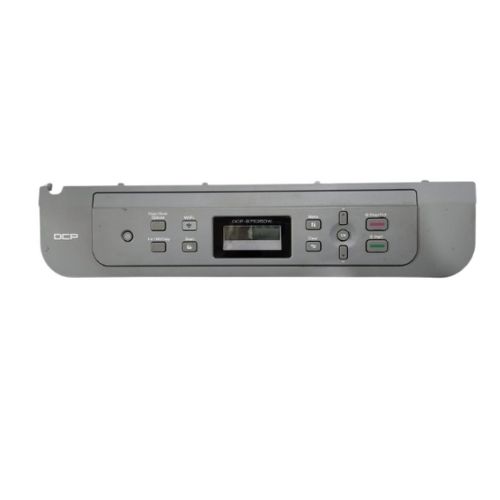
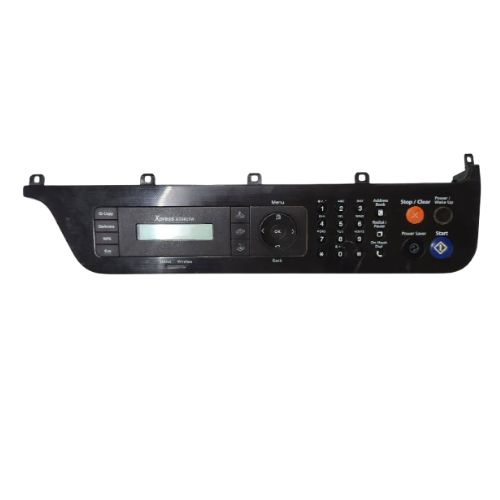
Restore full functionality and ease of use to your Brother DCP-B7535DW printer with this Control Panel Display Assembly. Designed to match the exact specifications of your printer, this refurbished original unit is pulled from working devices and tested for full functionality.Whether your panel is cracked, unresponsive, or the display is faded or dead, this replacement ensures reliable performance and user interface interaction just like a brand-new unit.
Compatible Brother Model:
- Brother DCP-B7535DW Printer
________________________________________________
Product Condition:
-
Refurbished Original / Pulled Original / Working Original
-
Professionally cleaned, tested, and fully functional
-
14 Days Replacement Warranty
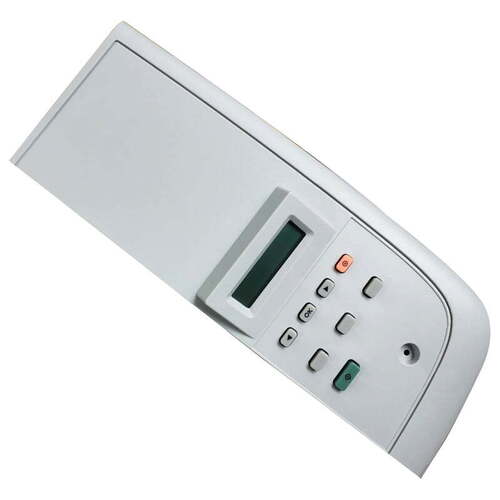
Premium Construction For Printer CompatibilityDesigned for compatibility with select Brother printers, this control panel display panel ensures smooth integration and optimal functioning. Its solid pattern enhances durability, while the crisp white color offers a sleek, professional look, making it an excellent choice for replacements or upgrades.
Simple Manual OperationThis display panel operates via a manual power source, providing straightforward, dependable functionality. Installation and usage are user-friendly, designed to minimize downtime and maximize productivity for businesses that rely on consistent printer performance.
Storage and Maintenance TipsTo preserve its quality and longevity, store the control panel display in a dry place, away from moisture and extreme temperatures. These measures help maintain its reliability, ensuring it remains in excellent condition for when it's needed most.
FAQ's of Brother DCP-B7535DW Control Panel Display Panel:
Q: How do I install the Brother DCP-B7535DW Control Panel Display Panel in my printer?
A: To install the panel, ensure your printer is powered off and unplugged. Carefully remove the old display, align the new panel, and securely fit it in place according to your printer's manual. Professional assistance is recommended for optimal installation.
Q: What are the benefits of using this white solid-pattern display panel?
A: This display panel features a durable solid pattern and white color for clear visibility. It is crafted for stability and longevity, offering reliable control panel interaction to keep your printer functioning efficiently.
Q: Where should the control panel display be stored before installation?
A: Store the display panel in a clean, dry location to avoid moisture and dust accumulation. Proper storage extends its lifespan and ensures it performs optimally when installed.
Q: When is it necessary to replace the display panel on my printer?
A: Replace the display panel if you notice unresponsive controls, display malfunctions, or physical damage that impacts performance. Prompt replacement ensures the printer remains operational.
Q: What is the recommended process for cleaning the display panel?
A: Gently wipe the display panel with a soft, dry cloth to remove dust and fingerprints. Avoid using water or chemical cleaners, as moisture may damage the component.
Q: How does this product benefit distributors and suppliers in India?
A: Distributors and suppliers benefit by offering a high-demand, good-quality replacement part that meets customer needs for printer maintenance and repairs, thus expanding their service offerings.
Q: Can this control panel display be used with models other than the Brother DCP-B7535DW?
A: This particular panel is designed for specific printer models. Confirm compatibility with your printer's model in the product specifications or consult your supplier before purchasing.



 Send Inquiry





 Send Inquiry
 Send Inquiry
 Send SMS


 English
 Spanish
 French
 German
 Italian
 Chinese (Simplified)
 Japanese
 Korean
 Arabic
 Portuguese