Product Description
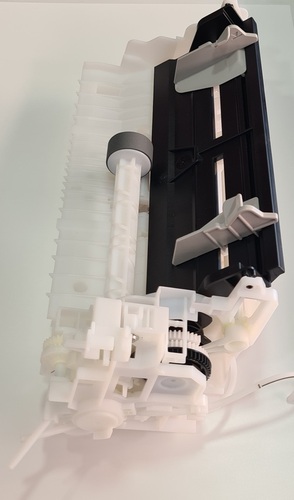
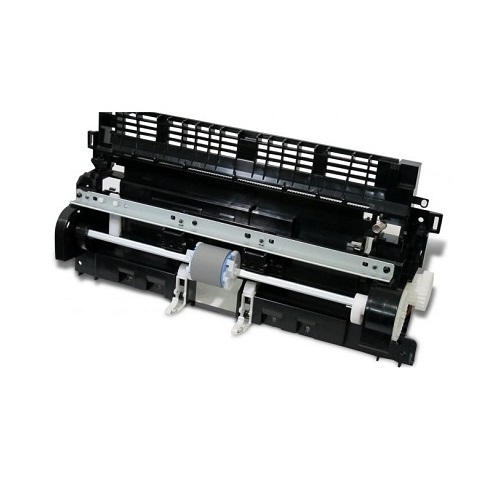
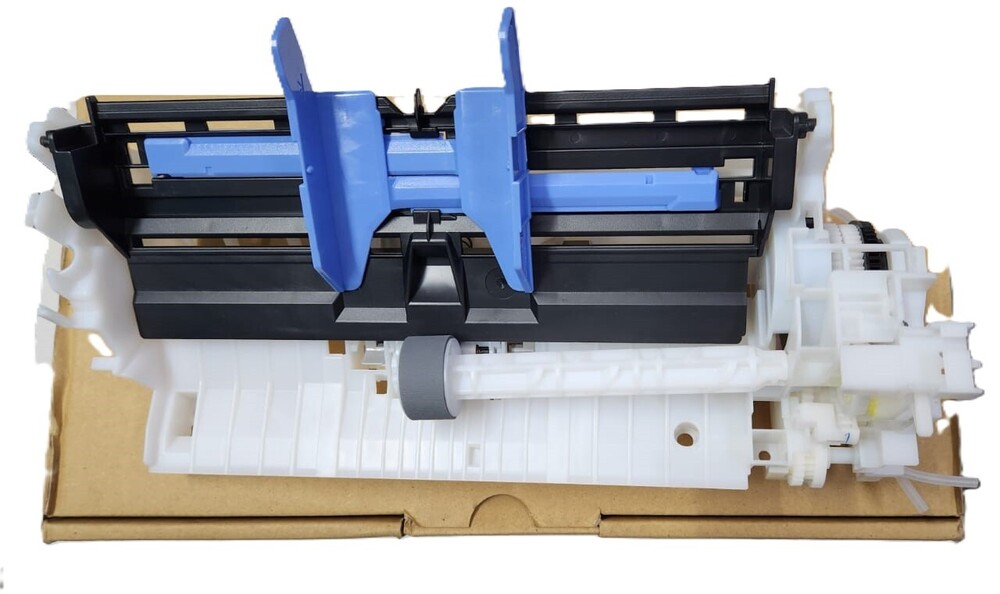
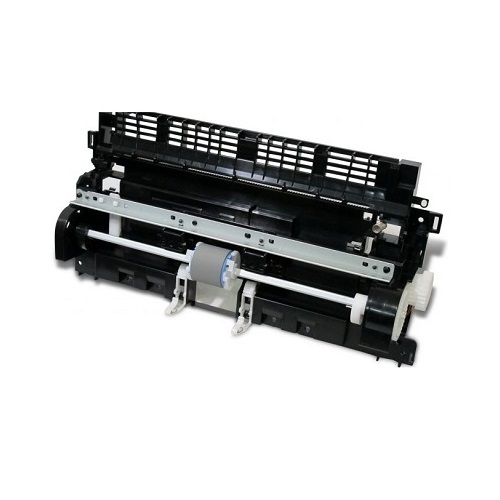
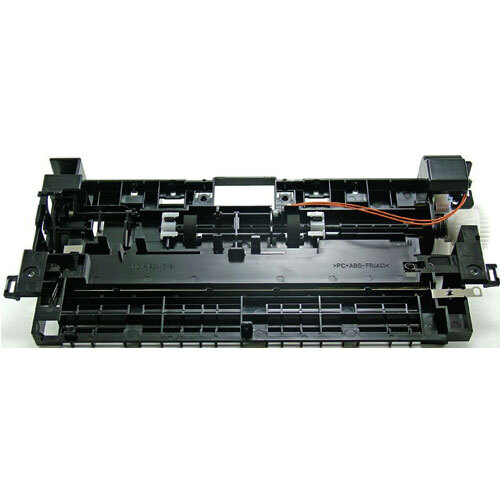
Pickup ASF Roller Kit / ASF For Canon PIXMA G G1010,G2000,G2010,G2002G3000,G3010,G4000,G4010 G2000 / G2010 / G3010 PrinterCompatible Model - Canon PIXMA G1000 PrinterCanon PIXMA G1010 PrinterCanon PIXMA G2000 PrinterCanon PIXMA G2010 PrinterCanon PIXMA G2002 PrinterCanon PIXMA G3000 PrinterCanon PIXMA G3010 PrinterCanon PIXMA G4000 Printer Canon PIXMA G4010 PrinterCanon G1000 / G1010 / G2000 / G2002 / G2010 / G2012 / G3000 / G3010 / G3012 / G4000 / G4010 Pickup Assembly / ASF Pickup Assembly / Pickup UnitVersatile Multifunction Printer for Every NeedThe Canon PIXMA G3010 offers high-quality printing, scanning, and copying, making it perfect for both home and office settings. Its compact form allows it to fit neatly on desks, while its advanced inkjet technology provides vibrant results for documents and images. With support for popular paper sizes and immediate availability, it provides practical functionality out of the box.
Efficient and Cost-Effective PrintingThe refillable liquid ink system minimizes printing costs and reduces maintenance, making it environmentally and economically smart. Achieving up to 8.8 pages per minute in black and 5.0 pages per minute in color, the printer ensures efficient task completion without compromising print quality-ideal for both high and moderate volume users.
Flexible Connectivity and User-Friendly FeaturesEquipped with both Wi-Fi and USB connectivity, the PIXMA G3010 seamlessly integrates into various digital workflows. Quiet Mode ensures minimal disturbance in quiet environments, and the easy operation interface allows users at any level to print, scan, or copy documents with confidence.
FAQ's of Canon PIXMA G G3010 Printer:
Q: How do I set up the Canon PIXMA G3010 printer for wireless printing?
A: To set up wireless printing, connect the Canon PIXMA G3010 to your Wi-Fi network using the built-in setup wizard or Canon's mobile app. Follow the prompts to link your device, then install the driver on your computer or mobile device for seamless wireless use.
Q: What paper sizes does the PIXMA G3010 support and where can it be used?
A: The PIXMA G3010 supports A4, A5, B5, Letter, and Legal paper sizes, making it versatile for various document tasks. It is suitable for both home and office environments due to its compact size and multifunction capabilities.
Q: When is the best time to refill the ink tanks, and how does the process work?
A: Refill the ink tanks when the printer indicates low ink levels or when print quality diminishes. Open the ink tank cover, fill each tank with the recommended Canon liquid ink, and close the cover-this process is straightforward and designed for user convenience.
Q: What benefits does Quiet Mode provide for users in office settings?
A: Quiet Mode significantly reduces operational noise, making the PIXMA G3010 ideal for shared or quiet workspaces where minimal disturbance is essential during printing and scanning tasks.
Q: How do I safely store the Canon PIXMA G3010 when not in use?
A: Store the printer in a cool and dry place, away from direct sunlight or moisture, to ensure long-term performance and prevent any damage to internal components.
Q: What is the printer's lead time for delivery or setup?
A: The Canon PIXMA G3010 is immediately available, allowing prompt delivery and quick installation, which is convenient for users needing urgent printing solutions.



 Send Inquiry





 Send Inquiry
 Send Inquiry
 Send SMS


 English
 Spanish
 French
 German
 Italian
 Chinese (Simplified)
 Japanese
 Korean
 Arabic
 Portuguese