Product Description
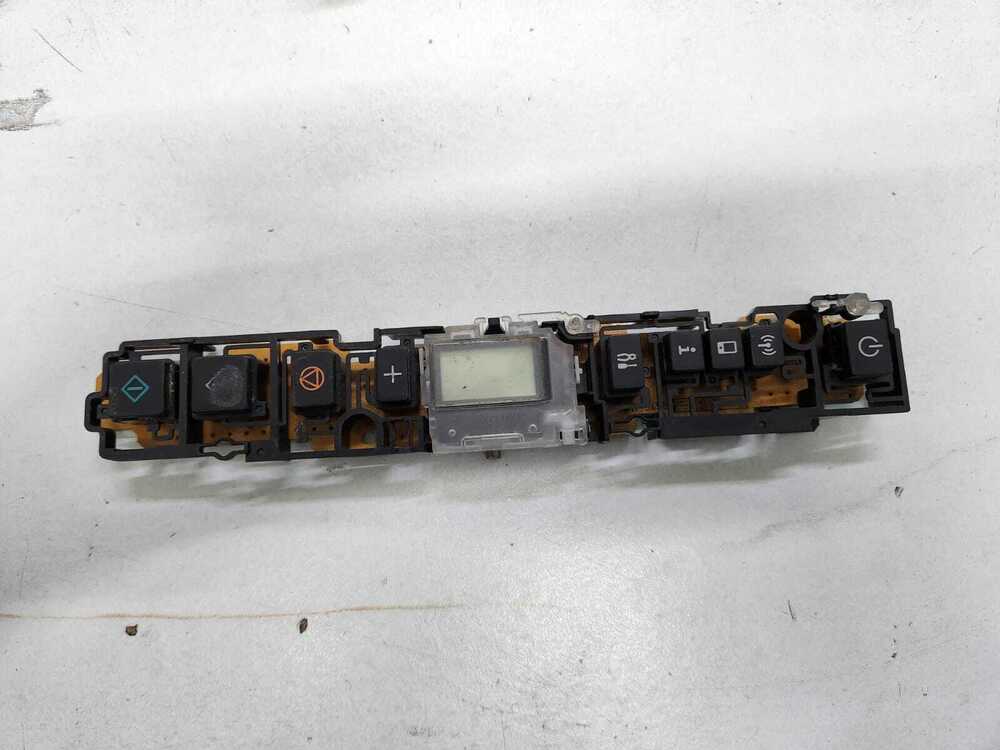
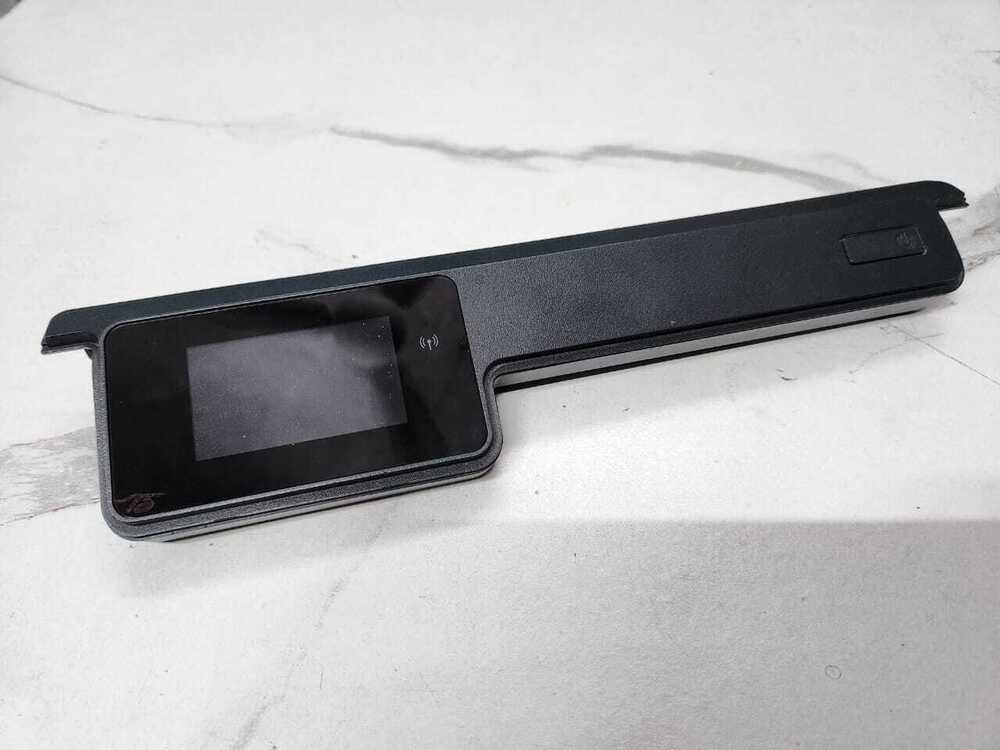
Control Panel Display Panel
Canon Pixma G3010 G3012
(QM7-5458 /E54)
For Use In (REFURBISHED)
Control Panel Display Panel
Canon Pixma G3010 G3012
(QM7-5458 /E54)
Canon Pixma G3010 - G3012 / CANON G3010 - G 3010 /
CANON 3010 - 3012
FOR USER IN
CANON PIXMA G3010 CANON G3010
CANON PIXMA G3012 CANON G3012
CANON PIXMA G3011 CANON G3011
: Control Panel Assy / Control Panel Board / Panel Assy H
PANEL UNIT /Button Panel Keyboard Panel Keypad Key pad
: DISPLAY PANEL/ CONTROL PANEL/ DISPLAY/ PANEL/ KEYBOARD PANEL/BUTTON PANEL/ PANEL PCB/ DISPLAY PCB/ PANEL WITH PCB/ TOUCH CONTROL PANEL/ TOUCH DISPLAY PANEL/ TOUCH DISPLAY/ TOUCH PANEL/ KEYBOARD PANEL
: INKJET PRINTER PARTS
: PRINTER SPARE PARTS
: PRINTER PARTS
Simple Plug-and-Play InstallationThis display panel is tailored for ease, allowing a straightforward plug-and-play process without the need for special tools. Users can quickly replace the old or damaged panel, significantly reducing printer downtime. Its perfect fit ensures seamless compatibility with the G3010 and G3012 models.
OEM Quality and Reliable PerformanceAs an Original Equipment Manufacturer (OEM) part, the control panel guarantees the same quality and reliability as factory components. Made from robust ABS plastic, it withstands regular use and offers high durability, ensuring long service life and optimal print performance.
Designed for User Comfort and SafetyWith soft key tactile buttons and a clear LCD segment display, users experience intuitive navigation and ease of use. The panel is built for safe operation within 0-40C and must be stored in a cool, dry place to preserve its performance. Its black, standard-pattern finish blends effortlessly with your printer.
FAQ's of Printer Display Panel Control Panel Canon Pixma G3010 G3012:
Q: How do I install the display panel on my Canon Pixma G3010 or G3012 printer?
A: Installation is straightforward with the plug-and-play design. Simply disconnect your printer from power, remove the old panel, and carefully insert the new display panel into the designated slot. Connect it securely, then power up the printer. No special tools or expertise are needed.
Q: What are the benefits of using the OEM display panel over non-OEM parts?
A: An OEM panel ensures complete compatibility, factory-quality durability, and preserves your printer's warranty. Made to the manufacturer's standards, it delivers consistent performance and hassle-free installation, unlike non-OEM products that may not fit or function correctly.
Q: When should I consider replacing the display panel on my printer?
A: You should replace the panel if your existing display is unresponsive, damaged, or experiencing display issues. A new panel restores full control, button sensitivity, and display clarity, allowing you to manage printer functions efficiently.
Q: What are the care and storage recommendations for the control panel?
A: It is recommended to store the control panel in a cool, dry place, away from direct sunlight and moisture. Proper storage ensures the panel remains in optimal condition until it is installed.
Q: Which printer models are compatible with this display control panel?
A: This control panel is exclusively compatible with the Canon Pixma G3010 and G3012 inkjet printers. It is not suitable for other printer models, so always confirm your printer's model number before purchasing.
Q: How quickly can I receive the replacement panel after placing an order?
A: The panel is in ready stock and typically ships within 1-2 days of order confirmation. It comes individually packed in a protective box to ensure safe delivery.



 Send Inquiry





 Send Inquiry
 Send Inquiry
 Send SMS


 English
 Spanish
 French
 German
 Italian
 Chinese (Simplified)
 Japanese
 Korean
 Arabic
 Portuguese