Product Description
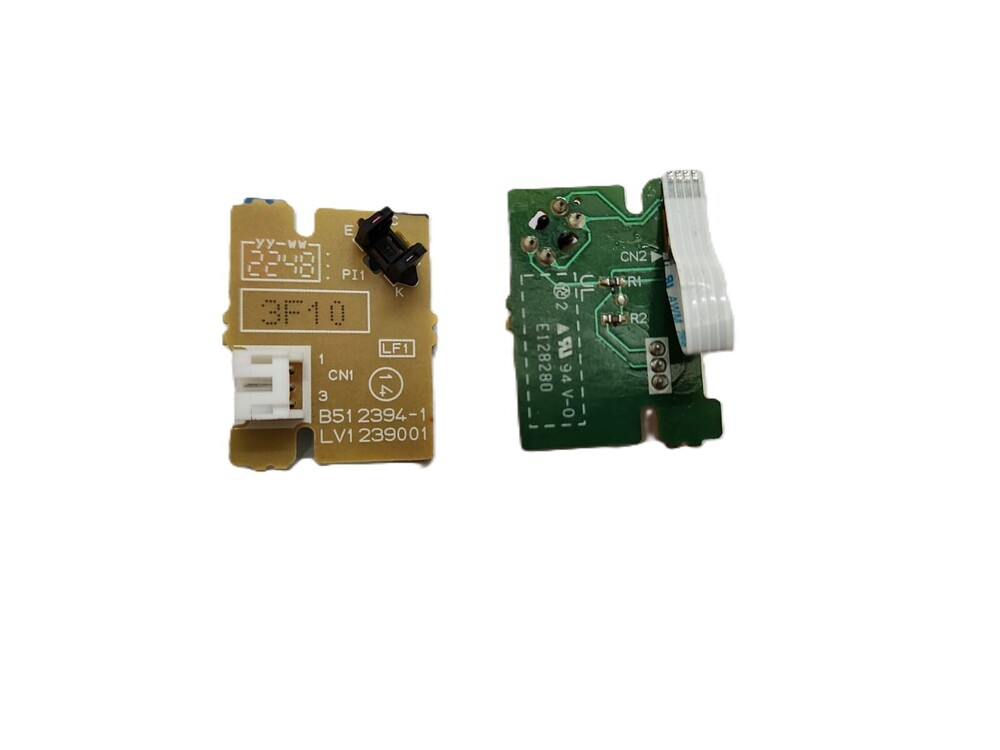
Door Sensor Paper Eject
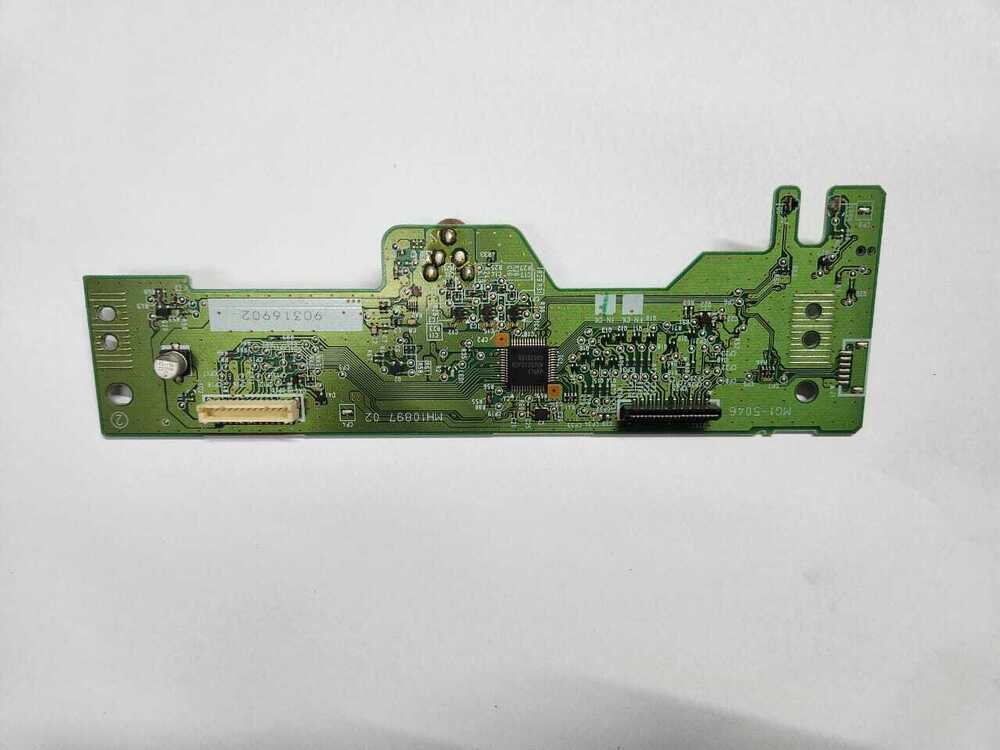
Sensor Board Sensor Brother HL-L2321D DCP-L2520D DCP-L2541DW MFC-L2701D (LV1239001/B512394-1)
FOR USE IN (REFURBISHED)
Door Sensor Paper Eject
Sensor Board Sensor Brother HL-L2321D DCP-L2520D DCP-L2541DW MFC-L2701D (LV1239001/B512394-1)
Compatible Model- Brother HL-L2320D / HL-L2321D /HL-L2360DN /HL-L2361DN / HL-L2366DW / DCP-L2365
DCP-L2520D DCP-L2540DW DCP-L2541DWMFC-L2701D / MFC-L2701DW
Brother 2320-2321-2360- 2361- 2366-2365 -
2520-2540 -2541 -2700-2701-7080-7380-7480- 7880
Brother HL2320D - HL2321D - HL2361DN - HL2366DW -DCP2520D DCP2540DW DCP2541DW MFC2700
MFC2701D -MFC2701DW
HL-L2340DW, HL-L2320D, HL-L2360DW, HL-L2380DW, HL-L2300D, 2321 2541, 2520
E310ND E310DW Printer B512394-1, LT2867001
HL-2320 2365 2360 DCP-L 2520 2540 7080 7180 MFC-L 2700 2740 7380 LT2867001
Compatible Model- Brother HL-L2320D / HL-L2321D /HL-L2360DN /HL-L2361DN / HL-L2366DW / DCP-L2365
DCP-L2520D DCP-L2540DW DCP-L2541DWMFC-L2701D / MFC-L2701DW
Brother 2320-2321-2360- 2361- 2366-2365 -
2520-2540 -2541 -2700-2701-7080-7380-7480- 7880
Brother HL2320D - HL2321D - HL2361DN - HL2366DW -DCP2520D DCP2540DW DCP2541DW MFC2700
MFC2701D -MFC2701DW
Brother DCP-2540 Printer
* Brother DCP-2550 Printer
* Brother DCP 7080 Printer
. Brother MFC L2700 Printer
* Brother MFC L2740 Printer
* Brother MFC L2750 Printer
* Brother MFC 7380 Printer
* Brother MFC 7480 Printer
* Brother MFC 7880 Printer
: Door Sensor / Door Sensor PCB / Paper Eject PCB / Sensor/ Printer Sensor
Note :- Refurbished Original / Pulled Original / Working Original
: LASER PRINTER PARTS
: PRINTER PARTS
: PRINTER SPARE PARTS
OEM Precision and DurabilityThis sensor board is engineered to OEM quality standards, ensuring high-precision detection for both paper ejection and door status. Built with robust FR4 materials and advanced optical sensor technology, it is designed to last the entire operational life of your Brother HL-L2321D printer, providing peace of mind and longevity.
Effortless Replacement and Easy InstallationThe compact sensor board can be installed onto your printer chassis quickly and securely using screw or clip mounting options. Its board-level connector ensures effortless integration with your printer's mainboard, streamlining the replacement process with minimal downtime and expert results.
Consistent Performance and CompatibilityDesigned specifically for the Brother HL-L2321D laser printer, this sensor functions reliably under standard operating conditions. Powered directly through the printer, it maintains optimal performance, silent operation, and immediate compatibility-making it a reliable replacement part for OEM requirements.
FAQ's of Door Sensor Paper Eject Sensor Board Sensor Brother HL-L2321D:
Q: How do I install the Door Sensor Paper Eject Sensor Board in my Brother HL-L2321D printer?
A: To install, simply secure the board onto the printer chassis using screws or clips as provided. Connect the sensor's connector to the slot on the mainboard. Installation is straightforward and does not require advanced technical expertise.
Q: What is the main function of this sensor board in my printer?
A: This optical interrupt sensor board detects both paper ejection and open door status, helping your printer operate smoothly and effectively by reporting faults in real time to avoid paper jams and print errors.
Q: When should I consider replacing the sensor board in my Brother HL-L2321D printer?
A: Replace the sensor board if you experience issues with paper detection, frequent door error messages, or if the printer fails to recognize open/close actions, as these can indicate a sensor fault.
Q: Where can I purchase the original HL-L2321D paper eject sensor board?
A: This genuine OEM part is available from official distributors, suppliers, and traders across India. It is often stocked for immediate dispatch or ships within 1-3 days if ordered online.
Q: What are the benefits of using the original sensor board over a compatible alternative?
A: The original sensor board guarantees perfect fit, reliable performance, and full compatibility, ensuring your printer maintains its designed functionality and longevity without voiding the warranty.
Q: How does the optical interrupt sensor ensure accurate paper detection?
A: The integrated optical sensor detects the passage or blocking of paper with high precision by using an interrupt mechanism, minimizing false readings and improving overall print reliability.
Q: Are there any special storage instructions for this replacement part?
A: Yes, store the sensor board in a dry, static-free environment to protect its sensitive optical components and To maintain its full ESD resistance until installation.



 Send Inquiry





 Send Inquiry
 Send Inquiry
 Send SMS


 English
 Spanish
 French
 German
 Italian
 Chinese (Simplified)
 Japanese
 Korean
 Arabic
 Portuguese