Product Description
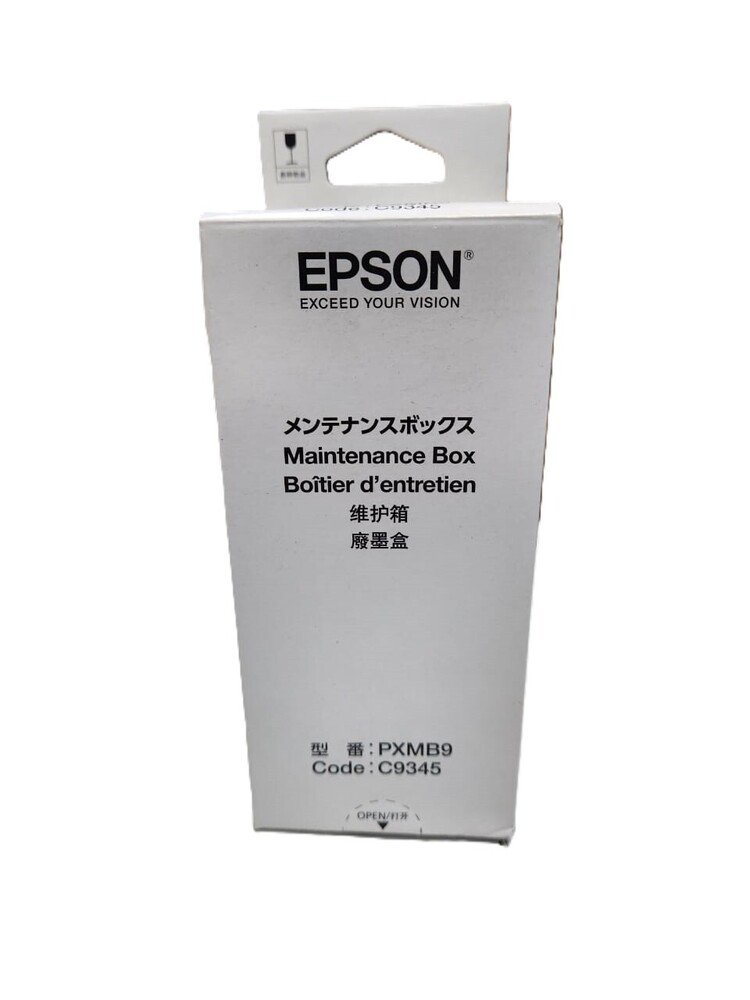
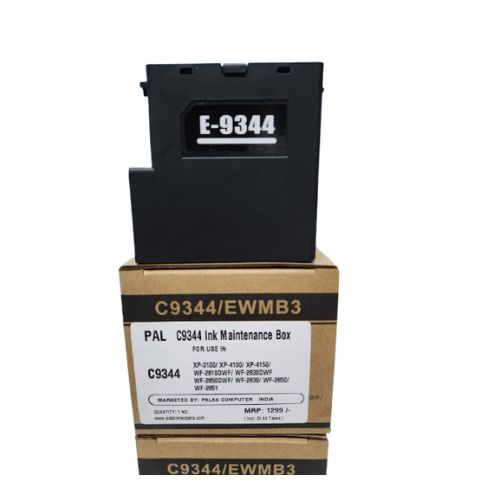
E-C9345 Ink Maintenance Box EcoTank Epson E-C9345 L15150 L15158 L15160 L8160 L8180 L8050 L18050 L15168 ET-5800 ET-5850 ET-5880 ET-16600 ET-16650 ET-16600 WF-7820 WF-7830 WF-7840 WF-7845 ST-C8000 (C12C934591) ORIGINAL
For Use In (ORIGINAL)
E-C9345 Ink Maintenance Box EcoTank Epson E-C9345 L15150 L15158 L15160 L8160 L8180 L8050 L18050 L15168 ET-5800 ET-5850 ET-5880 ET-16600 ET-16650 ET-16600 WF-7820 WF-7830 WF-7840 WF-7845 ST-C8000 (C12C934591)
Maintenance Box for : C9345, C9346 / C12C934591 / C12C934601
Use For : Epson Ink Tank Printer L15150, L15158, L15160, L8160, L8180, L6550, L6570, L6580
Compatible Printers : EcoTank Pro ET-5800 ET-5880 ET-5850 ET-16600 ET-16650 : WorkForce ST-C8000 EcoTank L15150 L15160 L15158 L15168 : WorkForce Pro WF-7820 WF-7830 WF-7840 WF-7845 Printer
Epson C9345 Ink Maintenance Box for SureLab D570, WF-7310, WF-7840, WF-7820, ST-C8090, ST-C8000, EC-C7000, ET-8500, ET-8550, ET-16600, ET-16650, ET-5880, ET-5850, ET-5800
Effortless Replacement and High CompatibilityThe E-C9345 maintenance box is crafted for quick, tool-free replacement-ideal for routine printer care. Its custom-fit design ensures compatibility with various Epson EcoTank inkjet printers utilizing Micro Piezo technology. The maintenance box works efficiently with grey models built in 2024, supporting both dye and pigment-based inks. Its solid pattern and ergonomic construction provide secure, reliable performance with silent operation during use.
Reliable Ink Waste ManagementDesigned for demanding print environments, this maintenance box features a high-capacity ink collection system. It collects waste ink generated from cleaning cycles, helping maintain print quality and prevent overflow. By trapping excess ink safely, it minimizes mess and reduces maintenance hassle. Its single-use, disposable nature makes replacing the box a straightforward process, promoting hassle-free maintenance for users and service providers alike.
FAQ's of Printer Ink Maintenance Box EcoTank Epson E-C9345:
Q: How do I install the Epson E-C9345 Ink Maintenance Box in my EcoTank printer?
A: To install the E-C9345 maintenance box, simply open the maintenance compartment of your compatible Epson EcoTank printer and slide the box into the allocated slot. No tools are needed, and the process is straightforward for convenient, mess-free replacement.
Q: What is the primary function of the E-C9345 maintenance box?
A: The maintenance box is responsible for collecting excess ink generated during printer cleaning cycles. This process is essential for maintaining print performance and preventing internal ink overflow, ensuring your EcoTank printer operates smoothly.
Q: When should I replace the Printer Ink Maintenance Box E-C9345?
A: Replace the maintenance box when your Epson EcoTank printer notifies you that the box is full or nearing capacity. Its estimated lifespan is up to 12,000 pages, but this may vary depending on usage and cleaning frequency.
Q: Where should I store an unused maintenance box before installation?
A: Store the maintenance box in a cool, dry area to preserve the integrity of the ABS plastic material and ensure it remains in optimal condition for installation when needed.
Q: What are the benefits of using a user-replaceable, disposable maintenance box?
A: Using a user-replaceable, disposable box minimizes mess, simplifies printer maintenance, and helps avoid downtime. It allows users, distributors, or service staff to swap out ink waste containers quickly without complicated procedures.
Q: Is the E-C9345 maintenance box compatible with all types of ink used in EcoTank printers?
A: Yes, this maintenance box efficiently collects both dye- and pigment-based compatible ink types, supporting a variety of print applications for EcoTank models.



 Send Inquiry





 Send Inquiry
 Send Inquiry
 Send SMS


 English
 Spanish
 French
 German
 Italian
 Chinese (Simplified)
 Japanese
 Korean
 Arabic
 Portuguese