Product Description
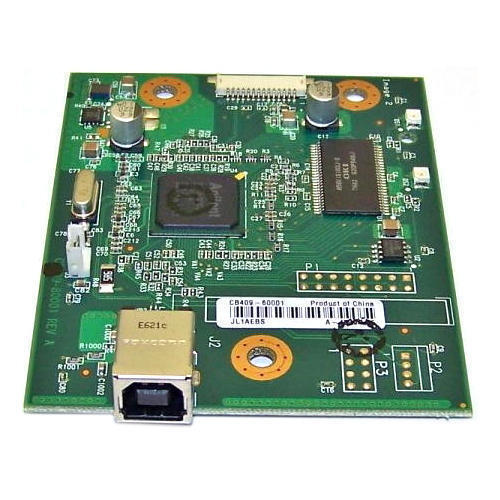
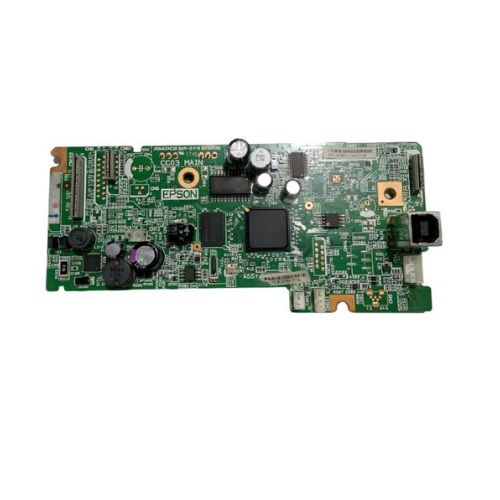
Formatter Board / Formatter PCA Assy / Logic Board / MainBoard / Main PCB Assembly / Mother Board For HP LaserJet 1020
For Use With
- HP LaserJet 1020 Plus Printer
- HP LaserJet 1018 Printer
Effortless Integration for HP LaserJetDesigned to be fully compatible with HP LaserJet 1020 and 1018 models, this card formatter board ensures simple installation and trouble-free operation. With standard sizing and USB connectivity, it fits seamlessly into your existing printer configuration, enhancing performance and extending the lifespan of your device without the need for major modifications.
Durable and Reliable PerformanceBuilt using robust Formatter Board Technology, this component is crafted to endure everyday printing demands. It is essential for those looking to replace malfunctioning formatter boards or upgrade their printers in commercial and office settings. Its green PCB design guarantees reliability, longevity, and consistent output quality.
FAQ's of Printer Logic Card Formatter Board For HP LaserJet 1020 1018:
Q: How do I install the Printer Logic Card Formatter Board in my HP LaserJet printer?
A: Installing the Printer Logic Card Formatter Board involves powering off your HP LaserJet 1020 or 1018, removing the printer's side cover, and replacing the old formatter board with the new one by aligning the connectors. Once installed, secure it, reconnect cables, and power on the device. Refer to your printer manual for detailed installation steps.
Q: What are the main benefits of using this formatter board with my HP LaserJet printer?
A: This formatter board restores printer logic functions, resolves common hardware errors, and enhances print reliability. Its compatibility with LaserJet 1020 and 1018 models ensures optimal performance, making your printer work like new and prolonging its operational life.
Q: When should I consider replacing the formatter board in my HP LaserJet 1020 or 1018?
A: You should replace the formatter board if your printer is displaying logic errors, failing to print despite other components functioning, or if you notice frequent connectivity issues via USB. Replacing the board is an effective solution for restoring your device's performance.
Q: Where is the best place to store the formatter board before installation?
A: It is important to store the formatter board in a dry and static-free environment to prevent damage from moisture or static electricity. Use original anti-static packaging and keep it away from direct sunlight or high humidity.
Q: What is the process for ensuring USB connectivity after installing the formatter board?
A: After installation, connect the USB cable securely between the board and your computer. Ensure printer drivers are up to date. The device should be recognized automatically, but if needed, perform a system restart or reinstallation of the drivers for seamless connectivity.
Q: Is this formatter board compatible with any other printer models besides HP LaserJet 1020 and 1018?
A: This specific formatter board is engineered for the HP LaserJet 1020 and 1018 models. Compatibility with other printer models isn't guaranteed and may lead to device malfunction. Always verify your printer model before purchasing.



 Send Inquiry





 Send Inquiry
 Send Inquiry
 Send SMS


 English
 Spanish
 French
 German
 Italian
 Chinese (Simplified)
 Japanese
 Korean
 Arabic
 Portuguese