Product Description
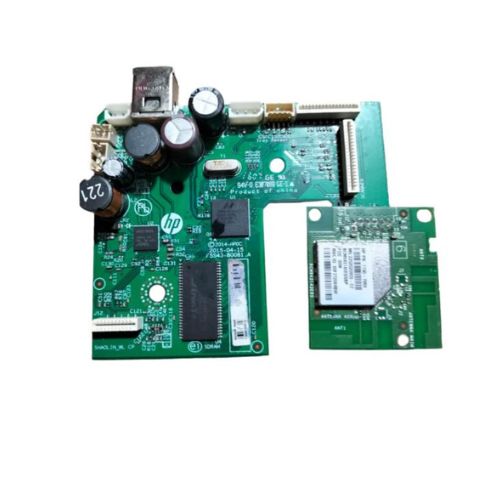
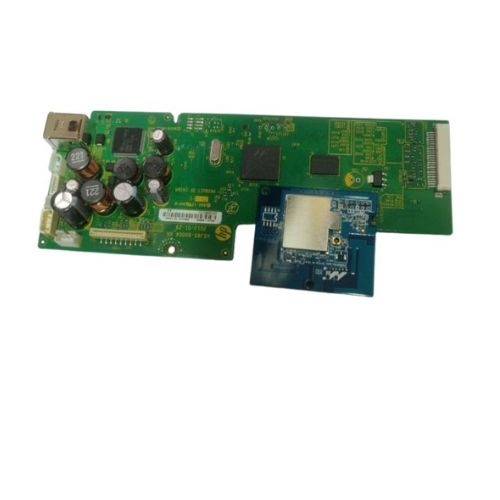
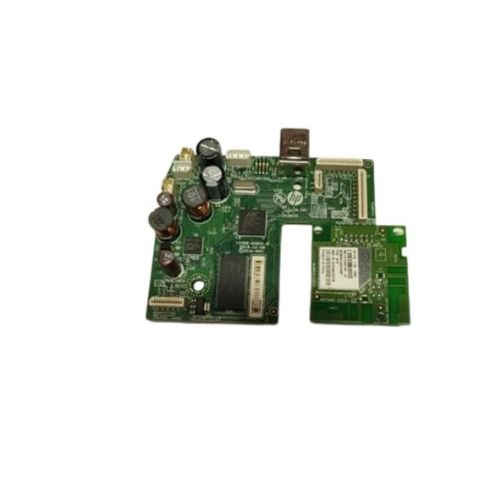
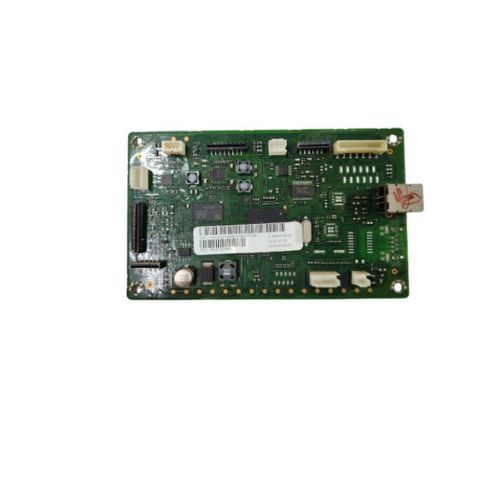
Upgrade or repair your HP Ink Tank printer with this genuine Formatter Board (M2Q28-60001), fully compatible with HP DeskJet GT 5820 / GT 5821 models. This Main PCB / Motherboard is a critical component for managing the printers functions and connections. It is ideal for fixing issues related to booting, printing errors, and connectivity faults. The board is a Refurbished Original, pulled from a working unit and thoroughly tested to ensure full functionality.
Compatible HP Model:
- Hp Deskjet GT5820 / GT5821
- Hp Ink Tank Printer Parts
________________________________________________
Part Numbers :
________________________________________________
Also Known As:
- Formatter Card / Logic Board / Main PCB Board /Motherboard / MPCA / MLC / USB Board / Main USB Board
________________________________________________
Product Condition:
-
Refurbished Original / Pulled Original / Working Original
-
Professionally cleaned, tested, and fully functional
-
14 Days Replacement Warranty
Restore Your Printer's PerformanceThe HP DeskJet GT 5820 / GT 5821 Logic Card is essential for restoring or maintaining the performance of your compatible printer. When malfunction arises or print jobs begin to fail, replacing the formatter board can resolve many internal errors and system glitches efficiently.
Seamless Compatibility with HP DevicesDesigned specifically for HP DeskJet GT 5820 and GT 5821 printers, this logic card ensures a perfect fit and smooth operation. It synchronizes perfectly with HP printer systems, reducing setup errors and providing peace of mind during replacement or upgrade.
FAQ's of HP DeskJet GT 5820 / GT 5821 Logic Card / Formatter Board:
Q: How does the HP DeskJet GT 5820 / GT 5821 Logic Card benefit my printer?
A: The logic card, or formatter board, is responsible for managing internal communications within your printer. Replacing a faulty board with this genuine HP-compatible component helps restore full functionality, resolves operational errors, and enhances print reliability.
Q: What is the recommended process for installing the logic card in my printer?
A: To install the logic card, it's best to follow your printer's service manual for step-by-step guidance. Ensure the device is unplugged, then remove the existing board carefully and insert the new one. Professional assistance is recommended for those unfamiliar with hardware repairs.
Q: When should I consider replacing the formatter board in my HP DeskJet GT printer?
A: Consider replacement if your printer displays persistent errors, fails to process print jobs, or does not power on even after basic troubleshooting. A faulty logic card is often the cause of these issues and can be resolved with a new board.
Q: Where can I purchase the HP DeskJet GT 5820 / GT 5821 Logic Card in India?
A: You can acquire it through authorized HP distributors, suppliers, and traders across India. Ensure you source components from reputable vendors for genuine and warranty-covered products.
Q: What are the storage instructions for the logic card before installation?
A: Store the logic card in a cool and dry place, away from direct sunlight or moisture, to prevent damage and ensure optimal performance when installed.
Q: How should I use and maintain the HP logic card for best results?
A: Use only in compatible HP DeskJet GT 5820 / GT 5821 models, handle with care during installation, and avoid exposure to static electricity. Regular maintenance of your printer ensures the logic card functions efficiently.



 Send Inquiry





 Send Inquiry
 Send Inquiry
 Send SMS


 English
 Spanish
 French
 German
 Italian
 Chinese (Simplified)
 Japanese
 Korean
 Arabic
 Portuguese