Product Description
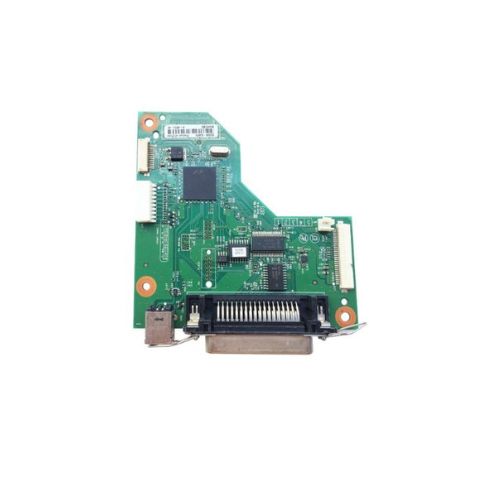
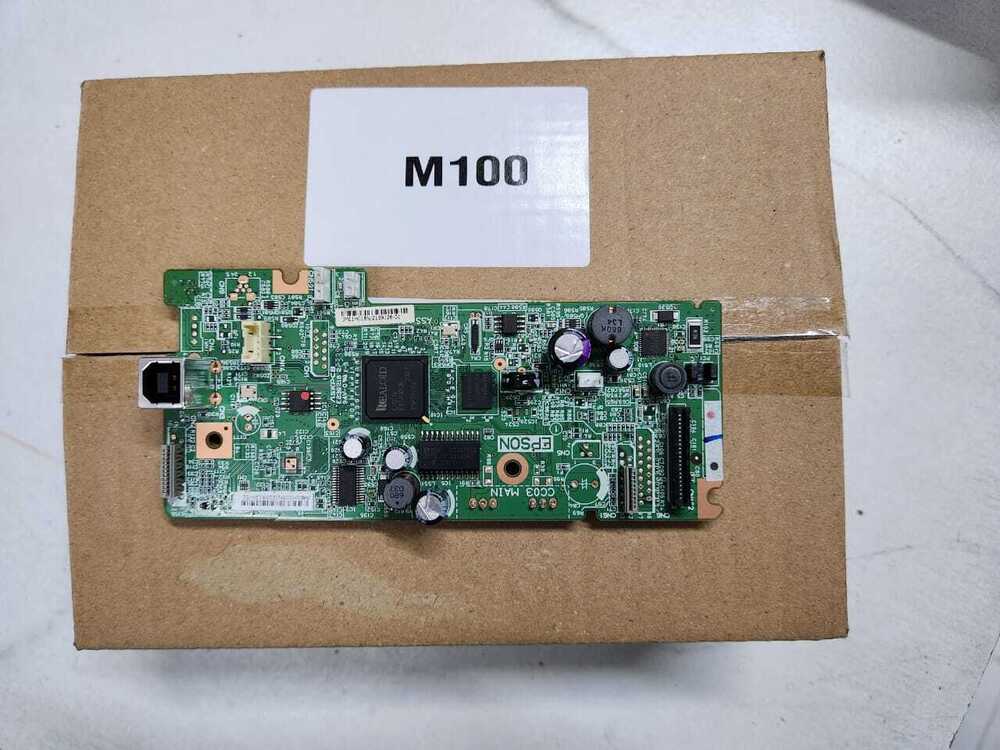
This Formatter Board / Logic Card is designed for HP LaserJet P2035 and P2035N printers. Part number CC525-60001, this board is a refurbished original, carefully pulled from functioning units and thoroughly tested for reliability. It restores core printer functionality and communication between components, ensuring smooth and efficient performance.
Compatible HP Model:
- Hp Laserjet P 2035 n / P 2035N / P2035 N / P2035
________________________________________________
Part Numbers :
________________________________________________
Also Known As:
- Formatter Card / Logic Board / Main PCB Board /Motherboard / MPCA / MLC / USB Board / Main USB Board
________________________________________________
Product Condition:
-
Refurbished Original / Pulled Original / Working Original
-
Professionally cleaned, tested, and fully functional
-
14 Days Replacement Warranty
Reliable Performance for HP PrintersThis formatter board is engineered specifically for the HP LaserJet P2035 model, ensuring precise compatibility and greater reliability in data processing. It replaces faulty logic cards, restoring normal function to your printer and prolonging its lifecycle with stable, consistent operation.
Easy Installation and MaintenanceDesigned in a standard size for straightforward replacement, the HP Logic Card can be installed without specialized tools. Proper storage in a cool, dry place ensures component longevity, while its robust construction withstands typical operational demands in offices or businesses.
FAQ's of HP LaserJet P2035 Logic Card / Formatter Board:
Q: How do I install the HP LaserJet P2035 Logic Card in my printer?
A: To install the logic card, first ensure your printer is powered off and disconnected from any electrical source. Open the printer's side panel, carefully remove the old board, and replace it with the new formatter board, aligning connectors securely. Once installed, close the panel and power on the printer to complete the process.
Q: What are the main benefits of using a genuine HP LaserJet P2035 formatter board?
A: Using the compatible HP logic card ensures seamless communication between your printer's mainboard and other hardware. This improves print stability and reduces the occurrence of error messages, ultimately extending the life and reliability of your printer.
Q: When should I consider replacing the logic card in my HP LaserJet P2035?
A: Replace the logic card if your printer displays persistent errors, experiences startup failures, or cannot communicate with your computer despite troubleshooting. Frequent print job interruptions may also indicate a faulty formatter board.
Q: Where can I buy the HP LaserJet P2035 Logic Card in India?
A: This product is available through authorized distributors, suppliers, and traders across India. For authenticity and warranty support, purchase from reputable vendors specializing in HP printer components.
Q: What is the recommended process for storing the formatter board?
A: Always store the HP LaserJet P2035 Logic Card in a cool and dry environment. Avoid exposure to moisture, direct sunlight, or static electricity to preserve its functionality and prevent damage before installation.
Q: How is the green color of the logic card significant?
A: The green color denotes the standard PCB (Printed Circuit Board) material used in electronics, indicating durable construction and adherence to industry standards for reliable electrical performance.
Q: What advantages does an electric-powered logic card offer for HP printers?
A: As an electric-powered component, the logic card processes and manages all communication and data required for printing. This enhances operational efficiency and supports high-speed, quality print outputs in the HP LaserJet P2035.



 Send Inquiry





 Send Inquiry
 Send Inquiry
 Send SMS


 English
 Spanish
 French
 German
 Italian
 Chinese (Simplified)
 Japanese
 Korean
 Arabic
 Portuguese