Product Description
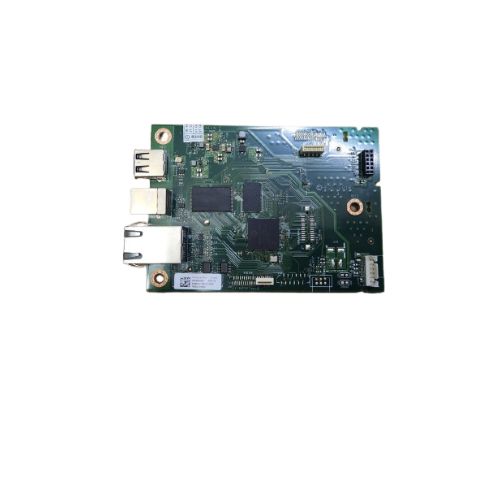
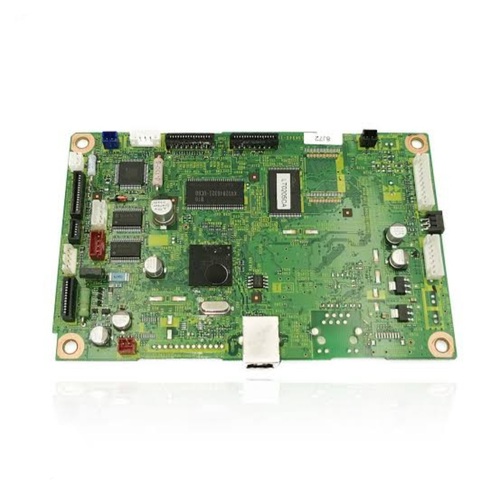
This Logic Card / Formatter Board (W2Q09-60001) is designed to replace faulty boards in HP LaserJet Pro M305dn printers. It manages all logic operations including print data processing, communication, and connectivity.An essential part to fix issues such as the printer not starting, freezing on boot, or failing to connect.
Compatible HP Model:
________________________________________________
Part Numbers :
________________________________________________
Product Condition:
-
Refurbished Original / Pulled Original / Working Original
-
Professionally cleaned, tested, and fully functional
-
No Replacement - No Warranty - No Guaranty Non Returnable Item
Reliable Performance for HP PrintersThe HP LaserJet Pro M305dn Logic Card is engineered to provide seamless compatibility and dependable function inside HP LaserJet Pro M305d printers. Its robust construction and standardized design support consistently high-quality prints, ensuring your printer operates smoothly with minimal downtime.
Safe and Effective StorageProper storage is crucial for the longevity of the logic card. Keeping it in a cool and dry environment helps protect the electrical components from moisture, dust, and temperature-related damage, preserving its effectiveness until installation.
FAQ's of HP LaserJet Pro M305dn Logic Card:
Q: How do I install the HP LaserJet Pro M305dn Logic Card in my printer?
A: To install the logic card, first ensure the printer is powered off and unplugged. Carefully open the printer's back or access panel, locate the logic board slot, and gently insert the logic card in the correct orientation. Secure it if necessary, close the panel, and reconnect the power supply before switching the printer back on.
Q: What is the primary function of the HP LaserJet Pro M305dn Logic Card?
A: The logic card manages the core processing tasks and communication between various printer components, ensuring efficient data flow and print command execution in the HP LaserJet Pro M305d printer.
Q: When should I consider replacing the logic card in my HP LaserJet Pro M305d?
A: Replace the logic card if you experience persistent technical errors, hardware communication failures, or diagnostic messages indicating logic board issues. Always use a compatible logic card to maintain printer reliability.
Q: Where should I store the HP LaserJet Pro M305dn Logic Card before use?
A: Store the logic card in a cool and dry place, away from direct sunlight, moisture, and dust, to prevent any risk of component degradation or malfunction prior to installation.
Q: What is the process for sourcing this logic card in India?
A: You can source the HP LaserJet Pro M305dn Logic Card through authorized distributors, suppliers, and traders across India who specialize in genuine HP replacement printer components.
Q: How does using a compatible logic card benefit my HP printer?
A: Using the HP LaserJet Pro M305dn Logic Card ensures full compatibility, optimal performance, and reduces the risk of errors or malfunctions, extending the lifespan of your HP printer and preserving print quality.



 Send Inquiry





 Send Inquiry
 Send Inquiry
 Send SMS


 English
 Spanish
 French
 German
 Italian
 Chinese (Simplified)
 Japanese
 Korean
 Arabic
 Portuguese