FAQ's of Logic Card Formatter Board Epson Monochrome M3140 All-in-One Duplex:
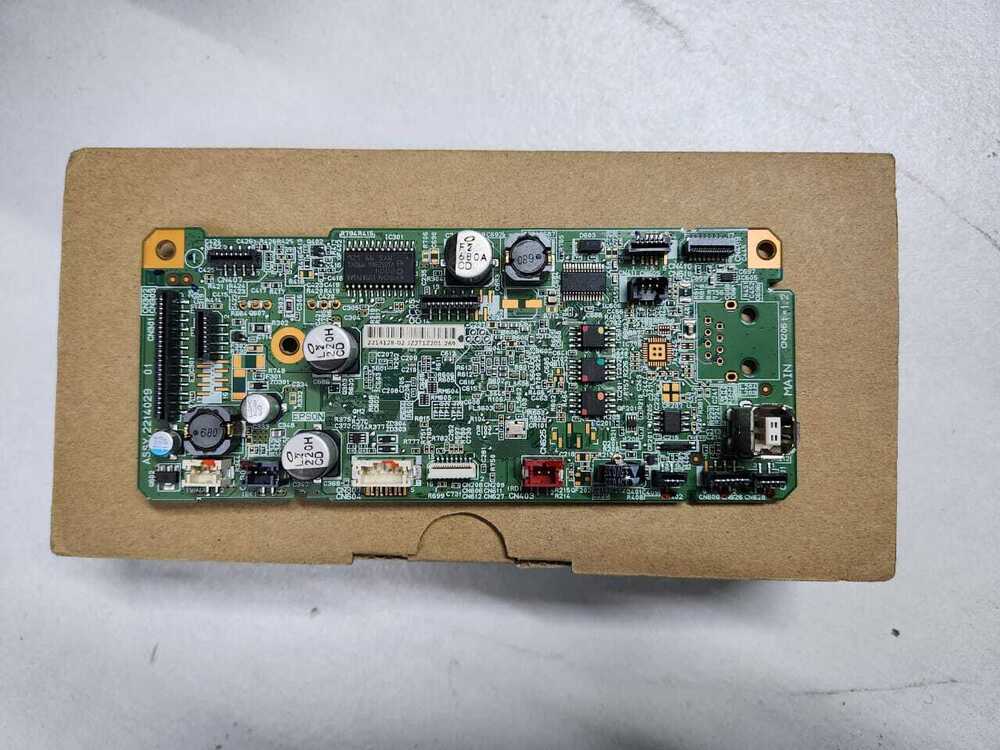
Q: How do I install the Logic Card Formatter Board in the Epson M3140 printer?
A: The Logic Card Formatter Board is designed for easy screw mount installation within the printer chassis. Simply disconnect the faulty board, align the new one using the provided mount points, and secure it with screws-ensuring all socket and connector interfaces are properly attached.
Q: What is the primary function of this board in my Epson M3140 All-in-One Duplex printer?
A: This main PCB acts as the controller for the printer, precisely managing data flow, implementing print commands, and supporting duplex printing capabilities for consistent monochrome output.
Q: When should I consider replacing the formatter board in my Epson printer?
A: Replacement is recommended when the printer shows signs of logic, data processing, or connectivity failures, or error messages indicate controller board malfunction. Upgrading to a new, original board ensures matchless performance and reliability.
Q: Where is this replacement Logic Card Formatter Board made and supplied from?
A: This board is manufactured in India and supplied domestically, ensuring rapid dispatch and local support for customers across the region.
Q: What are the storage and handling instructions for this electronic part?
A: For optimal longevity, store the Logic Card Formatter Board in an anti-static bag and avoid exposure to moisture or extreme conditions. Always handle with care to prevent static discharge or physical damage.
Q: How can I request a supply sample before bulk purchasing?
A: You can request a sample by contacting your supplier. Samples are provided on a chargeable basis, including packing and dispatch costs, allowing you to evaluate compatibility and performance before making a larger commitment.



 Send Inquiry





 Send Inquiry
 Send Inquiry
 Send SMS


 English
 Spanish
 French
 German
 Italian
 Chinese (Simplified)
 Japanese
 Korean
 Arabic
 Portuguese