Product Description
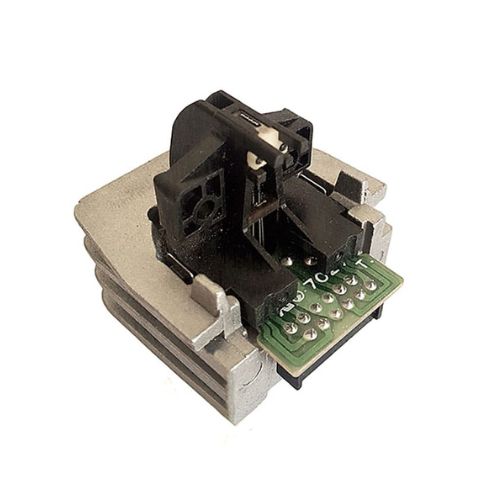
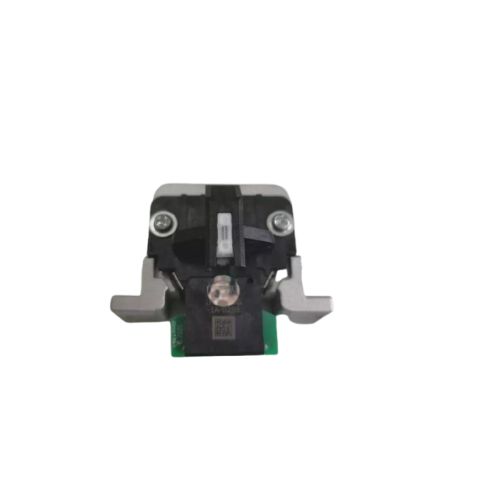
Print Head For Epson LX300 / LX-300+II Dot Matrix Printer Head (F078020)
Epson LX300 LX300+ LX300+ll LX300+2 LX-300 LX-300+ LX-300+ll (F078010/F042010)
Compatible Model -Epson LX-50 / LX300 / LX300+l1/LX1170/LX1170-1I Printer
Epson LX-300 Printer - Epson LX-300+ Printer- Epson LX-300+ Printer
Epson LX-300+I RTP Printer - Epson LX-1170 Printer-Epson LX-1170I1 Printer
Compatible Model
Epson LX-50 Printer
Epson LX-300 Printer
Epson LX-300+ Printer
Epson LX-300+II Printer
Epson LX-300+II RTP Printer
Epson LX-1170 Printer
Epson LX-1170II Printer
Efficient Design and High CompatibilityEngineered to function seamlessly with Epson LX300 and LX-300+II dot matrix printers, this print head ensures crisp and clear printouts every time. Crafted in a standard size, it is simple to install and integrates perfectly with your existing machine, reducing downtime and enhancing productivity. Its silver finish adds durability and style.
Easy Storage and MaintenanceTo prolong the lifespan of your print head, store it in a cool and dry environment when not in use. This essential care step prevents damage from moisture and temperature fluctuations, guaranteeing that your investment remains in top condition and ready for use whenever needed.
FAQ's of Print Head For Epson LX300 / LX-300+II Dot Matrix Printer Head:
Q: How do I install the print head in my Epson LX300 or LX-300+II printer?
A: To install the print head, first turn off and unplug your printer. Open the printer cover, carefully remove the old print head, and gently insert the new one in its place. Ensure it is securely fitted, then close the cover and reconnect your printer.
Q: What are the recommended storage conditions for the print head?
A: It is advised to store the print head in a cool and dry location to prevent exposure to moisture and humidity, which can impair its performance and reduce its operational life.
Q: When should I consider replacing my existing printer head?
A: Replace your printer head when you notice a significant drop in print quality, such as missing lines or faded characters, or if troubleshooting steps fail to restore normal function.
Q: Where can this print head be purchased in India?
A: You can source the print head through authorized distributors, suppliers, and traders across India, ensuring you receive a genuine and compatible product.
Q: What is the process for ensuring compatibility with my Epson printer?
A: Check your printer's model number. This print head is compatible exclusively with the Epson LX300 and LX-300+II models. Refer to the model label on your printer before purchasing.
Q: How should the print head be used for optimal results?
A: Install the print head carefully according to your printer's instructions and maintain regular cleaning. Use genuine Epson ribbons and supplies for the best printing performance.
Q: What are the benefits of using this replacement print head?
A: Upgrading to a new print head restores sharp print quality, reduces operational disruptions, and extends the service life of your Epson LX300 or LX-300+II printer.



 Send Inquiry






 Send Inquiry
 Send Inquiry
 Send SMS


 English
 Spanish
 French
 German
 Italian
 Chinese (Simplified)
 Japanese
 Korean
 Arabic
 Portuguese