Product Description
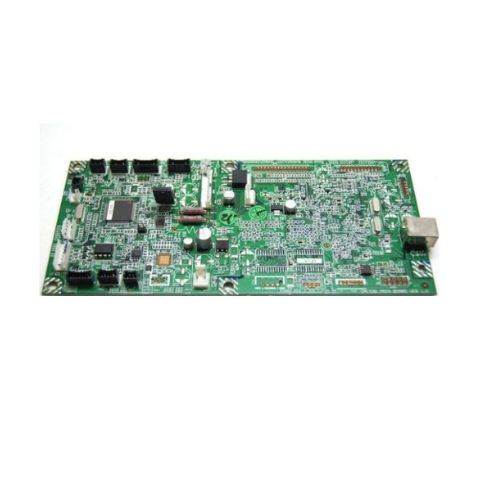
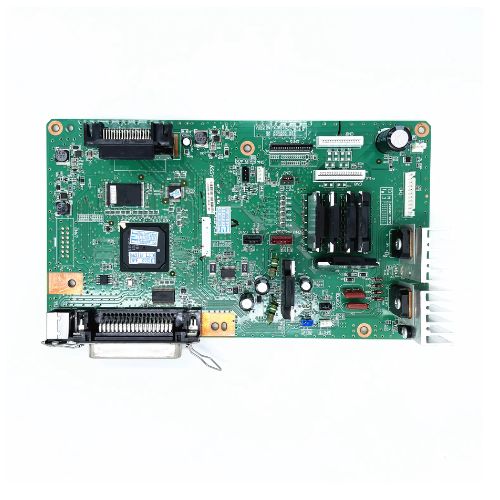
Restore your Ricoh SP 111 single-function monochrome laser printer with this high-quality Formatter Board / Logic Card. Whether your printer has stopped responding or shows hardware communication errors, this replacement board ensures stable operation and full compatibility. It includes all essential components such as the Main PCB, MPCA, MLC, and Main USB Interface.
Compatible Ricoh Model:
- Ricoh SP 111 Single Function Monochrome Laser Printer
- Ricoh SP111/111
________________________________________________
Also Known As:
- Formatter Card / Logic Board / Main PCB Board / Motherboard / MPCA / MLC / USB Board / Main USB Board
________________________________________________
Product Condition:
-
Refurbished Original / Pulled Original / Working Original
-
Professionally cleaned, tested, and fully functional
-
14 Days Replacement Warranty
Essential Component for Ricoh PrintersThe Ricoh SP 111 Logic Card plays a vital role in optimizing your printer's performance. Designed with solid construction and stable circuitry, it focuses on improving data processing and communication within the printer, ensuring consistent print quality.
Quality and Compatibility AssuranceThis formatter board boasts good-quality materials and is fully compatible with the Ricoh SP 111 series. Its green, solid-patterned design is engineered for resilience, satisfying the standards required by distributors, suppliers, and traders in India.
Effective Storage and Maintenance TipsTo maintain optimal performance, the Logic Card should be stored in a dry place. Proper handling and storage help extend its lifespan and keep your printer running efficiently, preventing unnecessary downtime or malfunctions.
FAQ's of Ricoh SP 111 Logic Card / Formatter Board:
Q: How does the Ricoh SP 111 Logic Card improve my printer's performance?
A: This Logic Card processes print data efficiently and ensures seamless communication between the printer's internal components, resulting in reliable and high-quality print output.
Q: What is the recommended storage method for the logic card?
A: It's best to store the Ricoh SP 111 Logic Card in a dry place, away from moisture and extreme temperatures, which helps maintain optimal quality and prevents damage.
Q: When should I consider replacing my printer's logic card?
A: Replace the logic card if you experience recurring printer errors, processing delays, or consistent print failures despite troubleshooting other potential issues.
Q: Where can I purchase the Ricoh SP 111 Logic Card in India?
A: This product is available through authorized distributors, suppliers, and traders across India, ensuring access to genuine components for your Ricoh printer.
Q: What is the process for installing the formatter board in a Ricoh SP 111 printer?
A: Turn off the printer and unplug it. Carefully remove the existing logic card, insert the new one, and ensure all connections are secure before powering the printer back on.
Q: How should the logic card be powered and maintained?
A: The Ricoh SP 111 Logic Card operates manually. Regularly check for dust or debris and handle the card by its edges during installation or maintenance to avoid damage.
Q: What benefits does this logic card offer to Ricoh SP 111 printer users?
A: The main advantages include improved processing speed, more reliable printing, and durable construction, resulting in lower downtime and better overall print quality.



 Send Inquiry





 Send Inquiry
 Send Inquiry
 Send SMS


 English
 Spanish
 French
 German
 Italian
 Chinese (Simplified)
 Japanese
 Korean
 Arabic
 Portuguese