Product Description
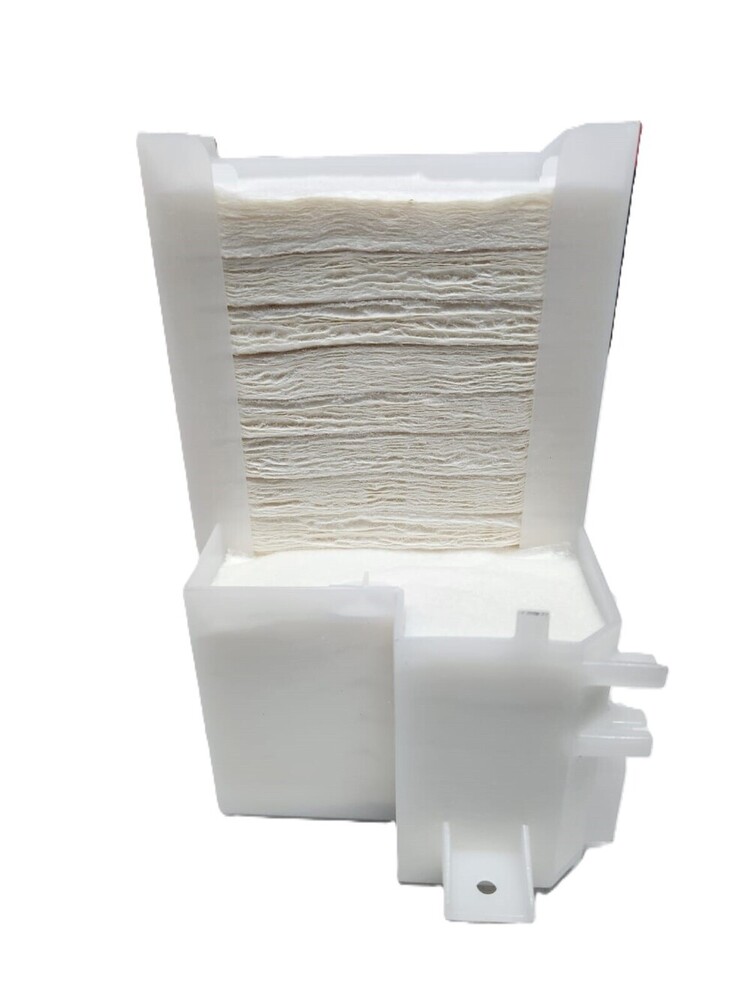
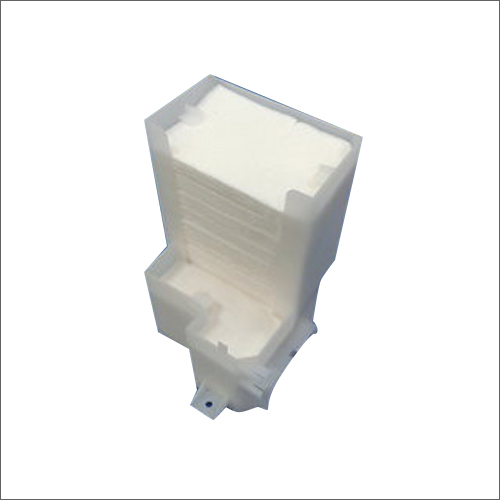
Waste Ink Pad Ink Pad Waste Pad Epson L800 L805 L810 L850 T50 T60 R60 R290 (1469197)
For Use In (ORIGINAL)
Waste Ink Pad Ink Pad Waste Pad Epson L800 L805 L810 L850 T50 T60 R60 R290 (1469197)
Epson L800 L805 L810 L850 T50 T60 R60 R290
Waste Ink Pad for Epson L800/ L805 Ink Tank Printers
For Use With
Epson L800 Printer
Epson L805 Printer
Epson T50 Printer
Epson T60 Printer
Epson R290 Printer
Waste Pad / Waste Ink Pad / Porous Pad / Tray Porouspad Assy For Epson Printer
Waste Ink Pad - Waste Pad - Ink Pad - TRAY POROUS
PAD ASSY Inkpad - Waste Inkpad
: INKJET PRINTER PARTS
: PRINTER SPARE PARTS
: PRINTER PARTS
Optimal Waste Ink ManagementEnhance your Epson L800 printer's performance by preventing ink spillage with a custom-fit, high-absorbency waste ink pad. Engineered for extended usage, it absorbs excess ink during printing and cleaning cycles, safeguarding critical components and maintaining pristine printing quality over time.
Effortless and Safe InstallationInstallation is designed with the user in mind-no tools or technical expertise required. The pad's standardized dimensions ensure a perfect fit in your L800 printer. Sealed in protective plastic packaging, it arrives clean and ready for quick, hassle-free placement, promoting regular maintenance and prolonged device health.
Durable and Reliable SolutionManufactured from premium fiber sponge, this waste ink pad is built for extended duty cycles. Its substantial absorption capacity addresses the demands of continuous ink systems, offering peace of mind and minimizing the frequency of replacements by lasting until the recommended printer maintenance interval or when signaled as full.
FAQ's of Printer Waste Ink Pad Epson L800:
Q: How do I install the waste ink pad in my Epson L800 printer?
A: The Epson L800 waste ink pad is specifically designed as a user-replaceable component. You can easily install it without any tools by following the printer's service manual or manufacturer guidance. Simply access the designated waste pad compartment, remove the old pad, and insert the new one.
Q: What is the primary function of the waste ink pad in the Epson L800?
A: This pad absorbs excess ink expelled during cleaning cycles and regular printing operations. It helps prevent ink overflow inside the printer, protecting vital components and maintaining print quality.
Q: When should I replace the Epson L800 waste ink pad?
A: Replace the waste ink pad according to your printer's maintenance schedule or when the device notifies you that the pad is full. Regular replacement is essential to ensure proper printer functioning and to avoid ink leakage.
Q: Where can I purchase compatible waste ink pads for the Epson L800?
A: These waste ink pads are widely available through authorized distributors, suppliers, and traders across India. Be sure to choose pads labeled as compatible with the Epson L800 and verify the OEM part number (C13T672090) for accuracy.
Q: What is the process for maintaining the waste ink pad in the Epson L800?
A: Regularly check the waste ink pad's capacity, especially after heavy use. When full, replace it with a new pad packaged in sealed plastic to maintain hygiene and printer efficiency. This routine is crucial for continuous ink system printers like the L800.
Q: What benefits does replacing the waste ink pad offer?
A: Timely replacement prevents ink overflow, maintains consistent print quality, protects internal printer parts from damage, and helps prolong your Epson L800's lifespan. It ensures your printer operates smoothly and efficiently with uninterrupted performance.



 Send Inquiry





 Send Inquiry
 Send Inquiry
 Send SMS


 English
 Spanish
 French
 German
 Italian
 Chinese (Simplified)
 Japanese
 Korean
 Arabic
 Portuguese