Product Description
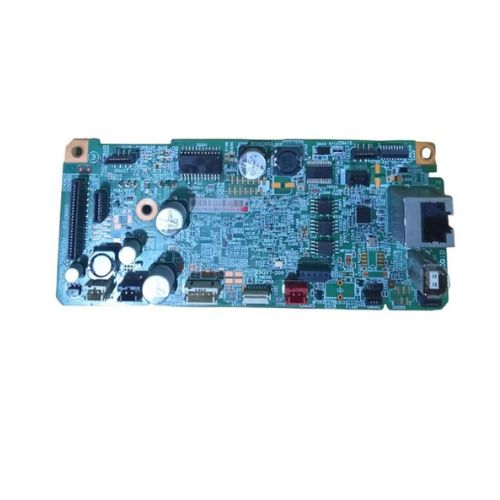
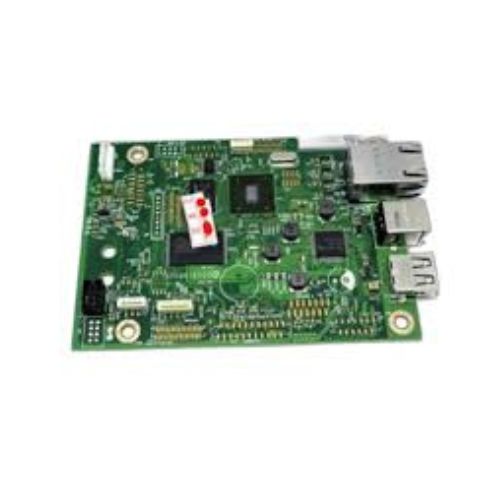
Replace or repair your Epson L6190 All-in-One Wi-Fi Duplex Printer with this reliable Formatter Board / Logic Card. Designed for smooth communication between software and printer hardware, this board ensures optimal performance and longevity of your printer.Perfect for printer service centers, IT repair shops, and individual users needing dependable spare parts.
Compatible Epson Model:
________________________________________________
Part Numbers :
- (2192268/2189222 / 2188781/2214090)
________________________________________________
Also Known As:
- Formatter Card / Logic Board / Main PCB Board /Motherboard / MPCA / MLC / Main USB Board
________________________________________________
Product Condition:
-
Refurbished Original / Pulled Original / Working Original
-
Professionally cleaned, tested, and fully functional
-
14 Days Replacement Warranty
High-Quality Build for DurabilityManufactured with a focus on good quality, the Epson L6190 Logic Card is tailored to withstand rigorous use in various printer models. Its solid pattern and sturdy construction make it a resilient choice for long-term printer maintenance needs, ensuring users receive dependable performance.
Designed for Easy IntegrationInstallation and integration of this formatter board are streamlined for user convenience. Its manual power source allows straightforward operation, making it easy for technicians and users to replace or upgrade their printer component without complicated procedures.
FAQ's of Epson L6190 Logic Card / Formatter Board:
Q: How do I install the Epson L6190 Logic Card in my printer?
A: To install the Epson L6190 Logic Card, ensure the printer is powered off and disconnected. Open the designated panel, carefully remove the old logic card, and insert the new one, securing all connections firmly. Refer to your printer's manual for specific installation guidance.
Q: What makes the Epson L6190 Logic Card beneficial for printer users?
A: This logic card offers enhanced reliability and maintains optimal print performance. Its good quality build ensures smooth processing, making printers more efficient and reducing downtime due to part failures.
Q: When should I consider replacing the formatter board in my printer?
A: Replace the formatter board if your printer experiences frequent errors, does not initialize correctly, or fails to communicate with computers despite troubleshooting. Consistent malfunctioning of the printer is often a sign that the logic card needs replacement.
Q: Where should I store the Epson L6190 Logic Card when not in use?
A: Always store the logic card in a dry place to prevent moisture damage. Keeping it in a dust-free and temperate environment extends its functional life and reliability.
Q: What is the process for procuring this product in India?
A: Epson L6190 Logic Cards are available through authorized distributors, suppliers, and traders across India. Contacting a local authorized dealer will ensure you receive an authentic and compatible product.
Q: How is this formatter board powered during operation?
A: The Epson L6190 Logic Card is operated manually, requiring proper installation and maintenance by users or technicians to function correctly with the printer's existing power system.
Q: What usage precautions should I follow to ensure optimal performance?
A: Handle the card with care, avoid contact with moisture, and follow storage instructions. Always power off your printer before installation or removal to protect both the printer and the logic card from damage.



 Send Inquiry





 Send Inquiry
 Send Inquiry
 Send SMS


 English
 Spanish
 French
 German
 Italian
 Chinese (Simplified)
 Japanese
 Korean
 Arabic
 Portuguese