Product Description
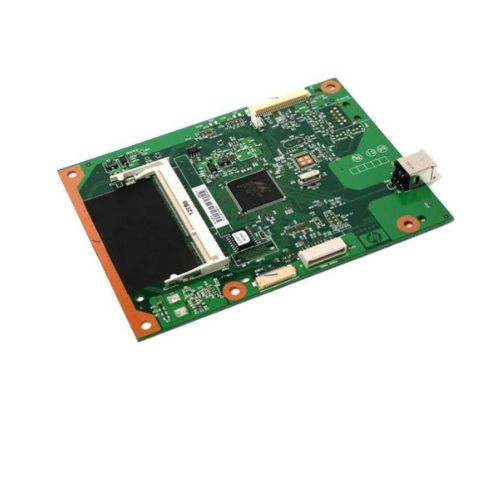
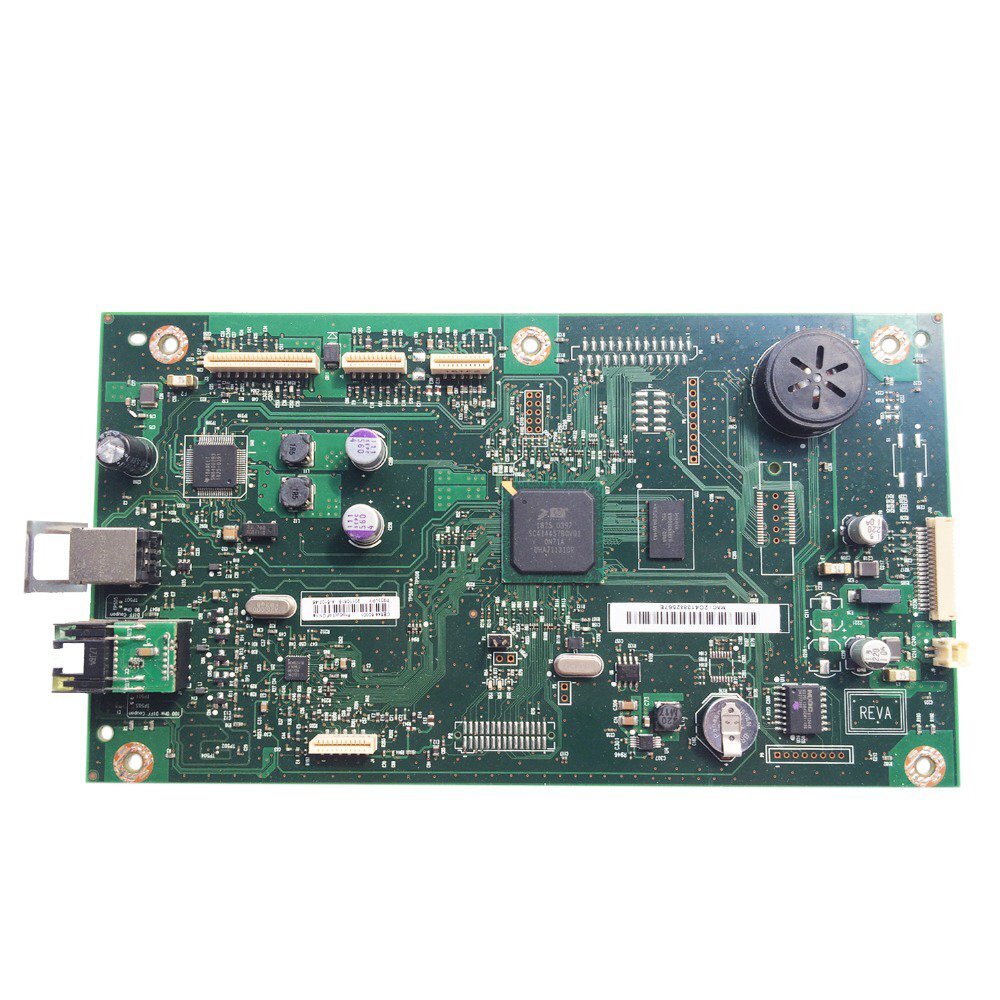
This Formatter Board / Logic Card is fully compatible with HP LaserJet P2055N, P2055DN, and P2055D printers. Part numbers CC528-60001 and CC527-80001, this board is a refurbished original, carefully extracted from operational units and tested to ensure optimal performance. It functions as the printers central controller, ensuring smooth communication and output.
Compatible HP Model:
- Hp LaserJet P2055D / P2055DN / 2055
________________________________________________
Part Numbers :
- (CC528-60001 / CC527-80001)
________________________________________________
Also Known As:
- Formatter Card / Logic Board / Main PCB Board /Motherboard / MPCA / MLC / USB Board / Main USB Board
________________________________________________
Product Condition:
-
Refurbished Original / Pulled Original / Working Original
-
Professionally cleaned, tested, and fully functional
-
14 Days Replacement Warranty
Reliable Performance for Your HP PrinterUpgrade your HP LaserJet P2055N printer with this advanced logic card, ensuring smooth and uninterrupted operations. Designed expressly for A4-sized print tasks, it optimizes printer performance and enhances output speed, making it an ideal choice for demanding office environments.
Easy Installation and MaintenanceThe HP LaserJet P2055N Logic Card is engineered for hassle-free installation, allowing quick replacement by following the printer's manual. To maintain its longevity, store the logic card in a cool and dry location, safeguarding it from moisture and dust.
FAQ's of Hp LaserJet P2055N Logic Card:
Q: How do I install the HP LaserJet P2055N Logic Card into my printer?
A: To install the logic card, first power off your HP LaserJet P2055N printer and disconnect it from the power source. Open the printer's access panel, locate the designated slot for the logic card, and gently insert the card. Secure it as per the instructions in your printer manual, then reconnect and power on the printer.
Q: What are the recommended storage instructions for this logic card?
A: It is advised to store the HP LaserJet P2055N Logic Card in a cool and dry place. Avoid areas with excessive humidity or direct sunlight to maintain the card's optimum function and shelf life.
Q: When should I replace the logic card in my HP LaserJet P2055N?
A: Replacement is recommended if you experience recurring printer errors, hardware malfunctions, or print quality issues that troubleshooting cannot resolve. Always use genuine HP logic cards for best results.
Q: Where can I purchase the HP LaserJet P2055N Logic Card in India?
A: This logic card is available through authorized distributors, suppliers, and traders across India. Reach out to certified HP parts vendors to ensure authenticity and warranty coverage.
Q: What is the main benefit of using the HP LaserJet P2055N Logic Card?
A: The primary benefit lies in achieving optimal printer performance, efficient processing of A4 print jobs, and enhancing the overall lifespan of your HP LaserJet P2055N printer.
Q: How does this logic card improve the printing process?
A: By precisely managing printer operations, the card improves processing speed and accuracy. This ensures smoother printing tasks, fewer errors, and consistent high-quality output.
Q: Is the logic card compatible with other HP printer models?
A: No, this logic card is specifically designed for the HP LaserJet P2055N model to ensure perfect compatibility and functionality.



 Send Inquiry





 Send Inquiry
 Send Inquiry
 Send SMS


 English
 Spanish
 French
 German
 Italian
 Chinese (Simplified)
 Japanese
 Korean
 Arabic
 Portuguese