Product Description
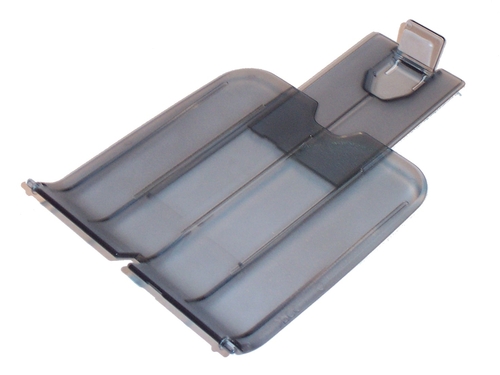
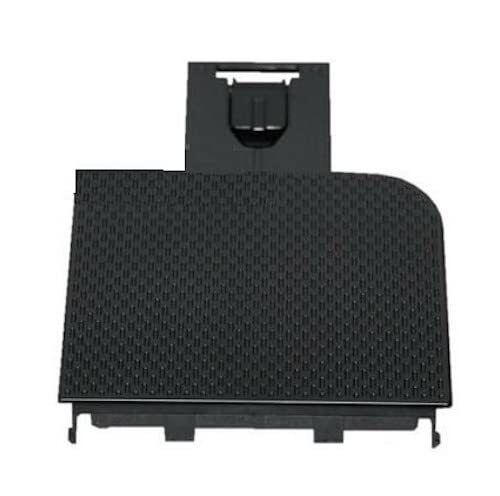
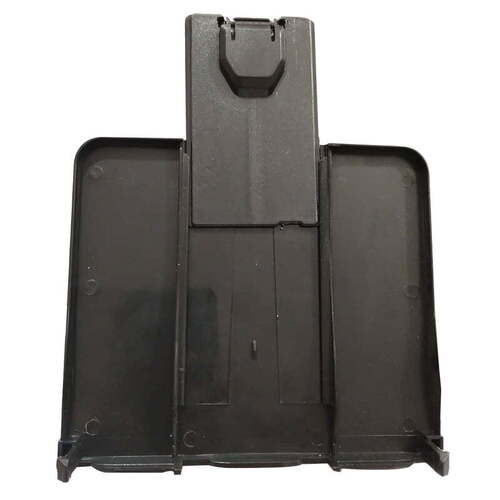
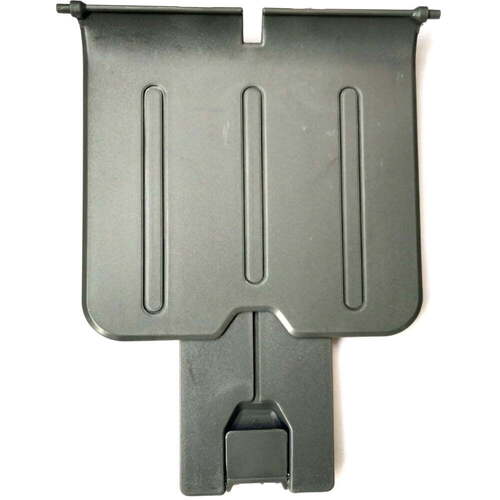
Paper Output Tray / Paper Out Tray / Paper Delivery Tray / Paper Exit Tray For HP Printer
For Use With
- HP LaserJet 1010
- HP LaserJet 1020
- HP LaserJet 1012
- HP LaserJet 1015
- HP LaserJet 1018
- HP LaserJet 1022
Designed for Seamless CompatibilityThis output tray is tailor-made for the HP LaserJet 1020 printer. Its accurate fit and sturdy construction provide optimal support for everyday printing, minimizing paper jams and improving workflow. Restore or enhance your printer's paper handling with this reliable accessory.
Durable and Reliable ConstructionManufactured using strong plastic materials, the tray ensures lasting performance even with heavy, continuous usage. Its gray finish complements your printer, while the design keeps documents neatly stacked and accessible.
Effortless Installation and MaintenanceInstallation is straightforward: simply slot the tray into the designated output area of your LaserJet 1020 printer. Minimal maintenance is required-just keep the tray clean and store the printer in a dry environment to prolong its service life.
FAQ's of LaserJet 1020 Printer Paper Output Tray:
Q: How do I install the LaserJet 1020 Printer Paper Output Tray?
A: To install the tray, align it with the designated paper output slot on your HP LaserJet 1020 printer and gently slide it into place. The process is simple and tool-free, ensuring a secure fit in seconds.
Q: What printer models are compatible with this output tray?
A: This paper output tray is compatible exclusively with the HP LaserJet 1020 Laser Printer. It is designed for standard A4 and Letter size paper used in this particular model.
Q: When should I consider replacing my printer's output tray?
A: You should replace the output tray if it becomes cracked, warped, or no longer securely holds printed documents. Using a damaged tray can lead to paper handling issues or misaligned output.
Q: Where should I store the output tray when not in use?
A: Store the paper output tray in a clean and dry environment to prevent exposure to moisture or dust, which can compromise its durability and performance.
Q: What is the process for maintaining the output tray?
A: Regularly wipe the tray with a dry, lint-free cloth to remove dust and debris. Ensure the environment remains dry to prevent warping or other damage.
Q: What is the benefit of using this specific tray for the LaserJet 1020 printer?
A: This tray offers a perfect fit and optimal durability, ensuring reliable stacking and management of printed documents. It minimizes the risk of paper jams and keeps your workspace organized.



 Send Inquiry





 Send Inquiry
 Send Inquiry
 Send SMS


 English
 Spanish
 French
 German
 Italian
 Chinese (Simplified)
 Japanese
 Korean
 Arabic
 Portuguese