Product Description
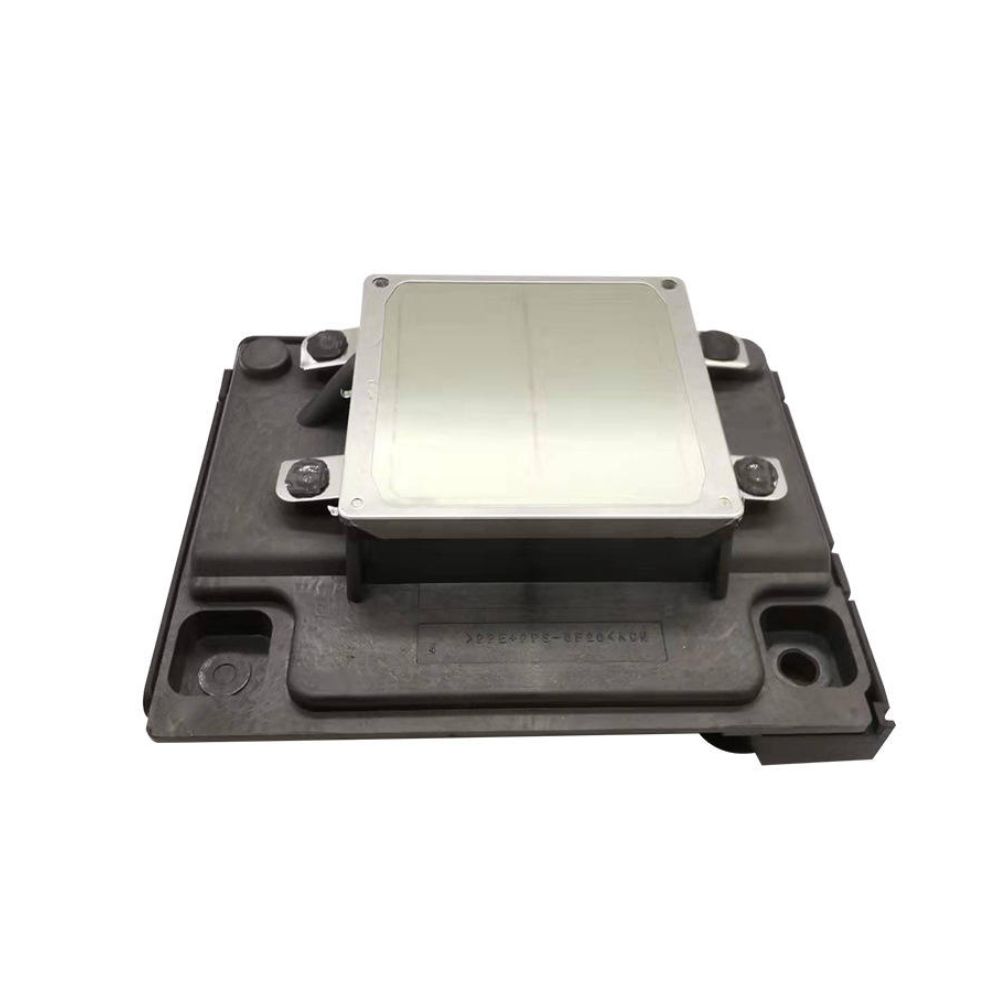
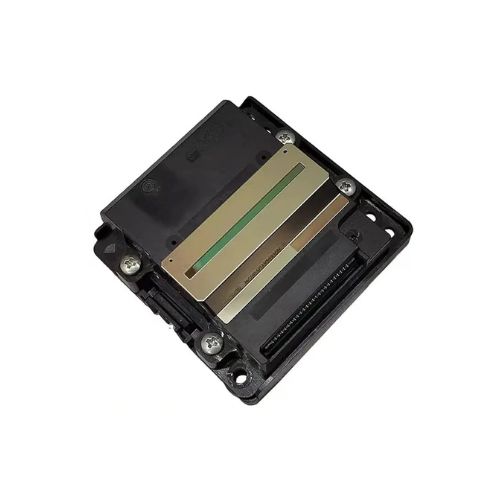
Print Head For Epson WF7521 / WF3531/ WF7511 / WF7011 / WF7018 Printhead (F190020)
EPSON WF7511 /WF7011 /7018 /WF7511 /WF7011
/WF7521 /WF3531 /T40 / WF3521 / WF7011/ WF7511/ TX550 / TX600 / TX960
F190010 /F190020 /F190030
Print Head for Epson TX620FWD TX600FW TX610 WF3520 WF7010 WF-7011 7015 Printer Head
Efficient Printing SolutionThe print head guarantees crisp and consistent printing for your Epson printers. Its robust construction ensures reliable performance, reducing downtime and maintenance. Whether used at home or in a business setting, it supports users looking for good quality printouts every time.
Manual Power for Greater ControlOperating with manual power provides you with more control over the printing process, making it easier to manage maintenance or replacement tasks. This feature is especially beneficial for users who want to minimize technical complexities and maximize printer uptime.
Easy Storage and HandlingTo maintain the print head's quality and performance, store it in a dry location. The solid pattern construction not only enhances durability but also simplifies handling during installation or replacement. These features make it a practical and user-friendly choice.
FAQ's of Print Head For Epson WF7521 / WF3531/ WF7511 / WF7011 / WF7018:
Q: How do I install the Print Head for Epson WF7521, WF3531, WF7511, WF7011, or WF7018?
A: Begin by turning off the printer and unplugging it. Carefully remove the old print head, if present. Align the new print head properly with the printer's connector and secure it as per manufacturer instructions. Reconnect and power on the printer to complete installation.
Q: What are the storage requirements for the Print Head?
A: It is recommended to store the print head in a dry place to maintain its quality and prevent moisture damage. Avoid exposing the print head to extreme temperatures or humidity for optimal performance.
Q: When should I consider replacing my Epson printer's print head?
A: Replace the print head when you notice a decline in print quality such as streaks, fading, or missing text that persists after cleaning cycles. Regular inspection and prompt replacement ensure consistent output and prolong your printer's lifespan.
Q: Where can I purchase or obtain support for this print head in India?
A: This print head is available through authorized distributors, suppliers, and traders across India. For purchase or after-sales support, contact your local dealer or check with reputable technology vendors in your area.
Q: What are the benefits of using a good quality, solid pattern print head?
A: A high-quality print head with a solid pattern enhances print sharpness and reliability. It minimizes printing errors, increases the longevity of your printer, and provides consistent, professional-level results.
Q: How does manual power operation benefit the user?
A: Manual power operation allows for straightforward installation, maintenance, and removal, giving users hands-on control without relying on automated mechanisms. This can simplify troubleshooting and reduce potential technical complications.
Q: What process should I follow if the print head needs cleaning?
A: Remove the print head carefully as per the user manual, avoid touching electrical contacts, and clean with a lint-free cloth dampened with recommended cleaning solution. After cleaning, reinstall securely, ensuring it is dry before use.



 Send Inquiry






 Send Inquiry
 Send Inquiry
 Send SMS


 English
 Spanish
 French
 German
 Italian
 Chinese (Simplified)
 Japanese
 Korean
 Arabic
 Portuguese