Product Description
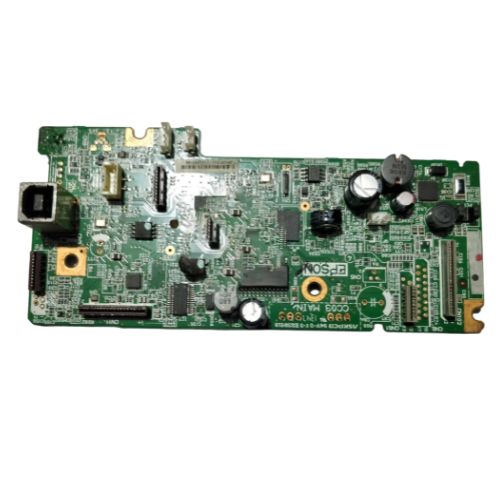
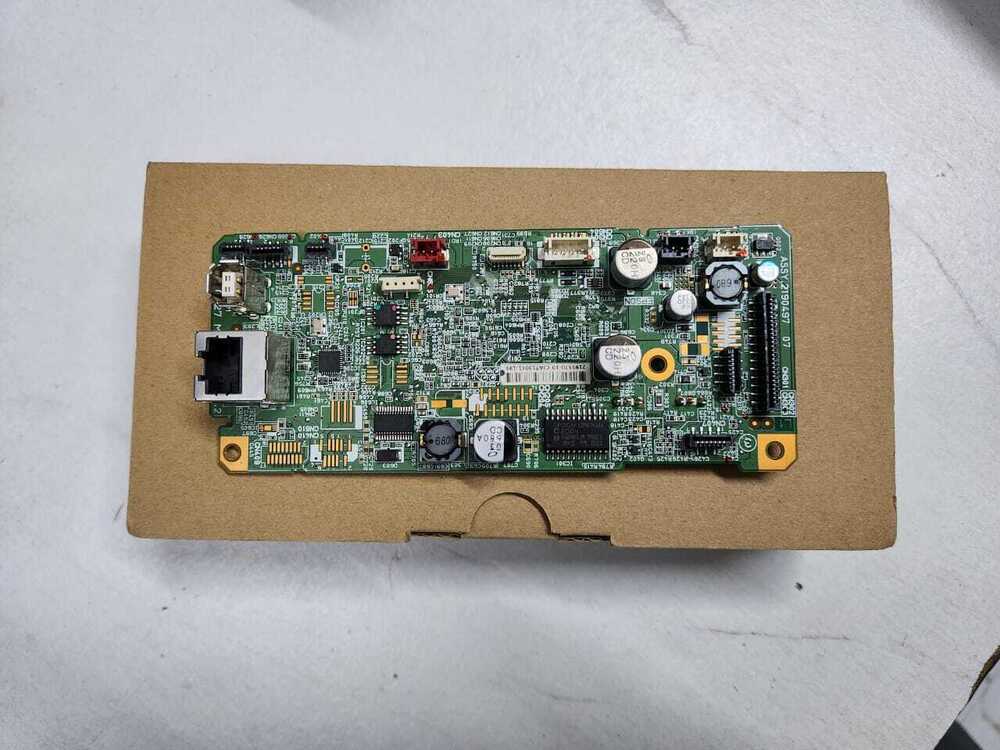
Restore the full functionality of your Epson L550 All-in-One Ink Tank Printer with this high-quality Formatter Board / Logic Card. This essential internal component ensures seamless data flow between the printers software and hardwaremaking it a must-have for replacements or repairs. Compatible with a wide range of part numbers, this logic board is ideal for service centers, technicians, and users looking for cost-effective repairs.
Compatible Epson Model:
________________________________________________
Part Numbers :
- (2189156/2150912 / 2152391/2154243/2146472/2163387/2155279 /2172091/2181634)
________________________________________________
Also Known As:
- Formatter Card / Logic Board / Main PCB Board /Motherboard / MPCA / MLC / USB Board / Main USB Board
________________________________________________
Product Condition:
-
Refurbished Original / Pulled Original / Working Original
-
Professionally cleaned, tested, and fully functional
-
14 Days Replacement Warranty
Essential Replacement PartThe Epson L550 Logic Card/Formatter Board is a critical part for restoring and maintaining the functionality of your Epson L550 printer. By handling data processing tasks, it ensures your printer operates smoothly and efficiently. Distributors and suppliers can count on it as a go-to solution for printer service demands.
Designed for DurabilityPrecision-built with a green finish, this standard-sized logic card is both robust and reliable. Suitable for use in demanding environments, it maintains performance when properly stored in a cool and dry place, extending the printer's operational lifespan.
FAQ's of Epson L550 Logic Card / Formatter Board:
Q: How is the Epson L550 Logic Card installed in the printer?
A: The Epson L550 Logic Card should be installed by carefully disconnecting the power supply, opening the printer's designated compartment, and securing the card in its appropriate slot, following model-specific guidance. Professional assistance is recommended to avoid any installation errors.
Q: What is the primary function of the Epson L550 Formatter Board?
A: This board acts as the main data processing unit within the Epson L550 printer. It manages communication between the computer and printer hardware, enabling accurate printing and smooth device operation.
Q: When should I consider replacing my existing logic card?
A: Replacement is advised if your Epson L550 printer exhibits issues like frequent errors, malfunctioning, or fails to communicate with computers even after troubleshooting other possible causes. Persistent printer malfunctions often indicate logic card failure.
Q: Where should I store the Epson L550 Formatter Board before installation?
A: The logic card should be kept in a cool, dry place away from moisture and direct sunlight. Proper storage protects sensitive electronic components from damage and ensures the card remains functional until use.
Q: What is the recommended process for handling and shipping the logic card?
A: Use anti-static packaging when handling or shipping the board to prevent electrostatic damage. Keep it in its original protective wrap and avoid exposure to extremes in temperature or humidity.
Q: How does using an original Epson L550 logic card benefit my printer?
A: Original logic cards guarantee compatibility, optimal performance, and longevity. They reduce the risk of device errors and help maintain consistent print quality, which is essential for professional and office use.



 Send Inquiry





 Send Inquiry
 Send Inquiry
 Send SMS


 English
 Spanish
 French
 German
 Italian
 Chinese (Simplified)
 Japanese
 Korean
 Arabic
 Portuguese