Product Description
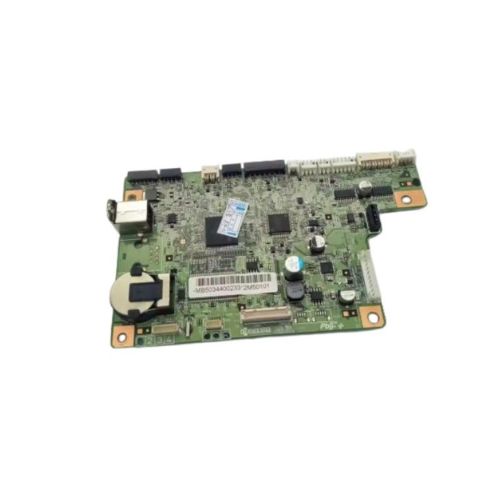
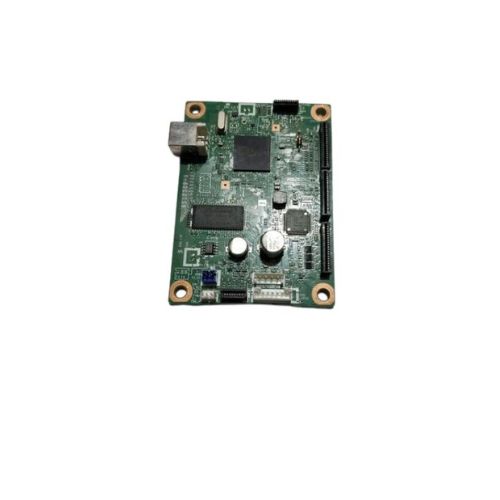
Replace your faulty or non-working logic board with this high-quality Formatter Board / Logic Card for Kyocera FS-1040 printers. It includes all the essential control components to ensure stable operation and efficient print processing.Ideal for use in printer service centers, IT maintenance, or direct end-user replacement.
Compatible KYOCERA Model:
________________________________________________
Also Known As:
- Formatter Card / Logic Board / Main PCB Board / Motherboard / MPCA / MLC / USB Board / Main USB Board
________________________________________________
Product Condition:
-
Refurbished Original / Pulled Original / Working Original
-
Professionally cleaned, tested, and fully functional
-
14 Days Replacement Warranty
Premium Compatibility for Kyocera FS-1040This formatter board is meticulously engineered for the FS-1040 printer series, ensuring optimal compatibility and flawless performance. By integrating seamlessly, it contributes to the consistent efficiency of your office or home device.
Quality-Assured Distribution Across IndiaDistributed by reliable suppliers and traders in India, customers are assured of receiving genuine, well-tested logic cards. This ensures a trustworthy supply chain and dedicated support for your Kyocera printer needs.
FAQ's of Kyocera FS-1040 Logic Card / Formatter Board:
Q: How do I install the Kyocera FS-1040 Logic Card in my printer?
A: To install the logic card, first turn off and unplug your printer. Open the designated logic board compartment, carefully insert the formatter board into its slot, and ensure it is firmly seated. Close the compartment, then reconnect and power on your printer for use.
Q: What precautions should I take when storing the logic card?
A: Always store the Kyocera FS-1040 Logic Card in a dry place to avoid exposure to moisture, which can damage the circuitry and compromise performance.
Q: When should I consider replacing the formatter board in my printer?
A: Replacement is recommended if your printer exhibits persistent errors, communication issues, or fails to process print jobs efficiently. Installing a new logic card often resolves these concerns.
Q: Where can I purchase the Kyocera FS-1040 Formatter Board in India?
A: You can obtain this product from authorized distributors, suppliers, or traders specializing in Kyocera printer parts across India.
Q: What is the process for ensuring correct use of the logic card?
A: Ensure the board is only installed in compatible Kyocera FS-1040 printers, handle with care during installation, and always follow manufacturer guidelines for manual power operation.
Q: How does the solid pattern and green color help identify the logic card?
A: The solid green design helps users quickly differentiate the FS-1040 Logic Card from other internal components, aiding in correct installation and maintenance.
Q: What are the benefits of using this quality-assured logic card?
A: Using this high-quality formatter board ensures precise data processing, reliable printer performance, and helps extend the operational lifespan of your Kyocera FS-1040 printer.



 Send Inquiry





 Send Inquiry
 Send Inquiry
 Send SMS


 English
 Spanish
 French
 German
 Italian
 Chinese (Simplified)
 Japanese
 Korean
 Arabic
 Portuguese