Product Description
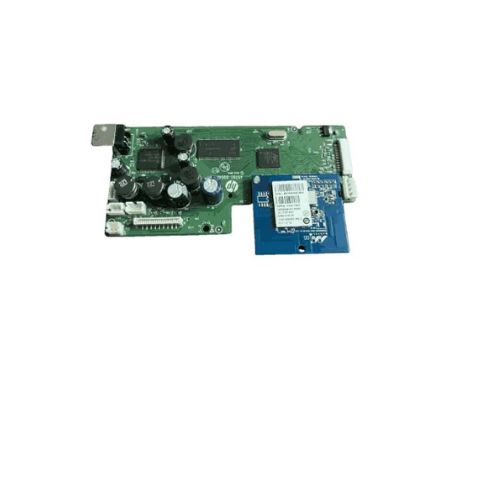
Logic Card
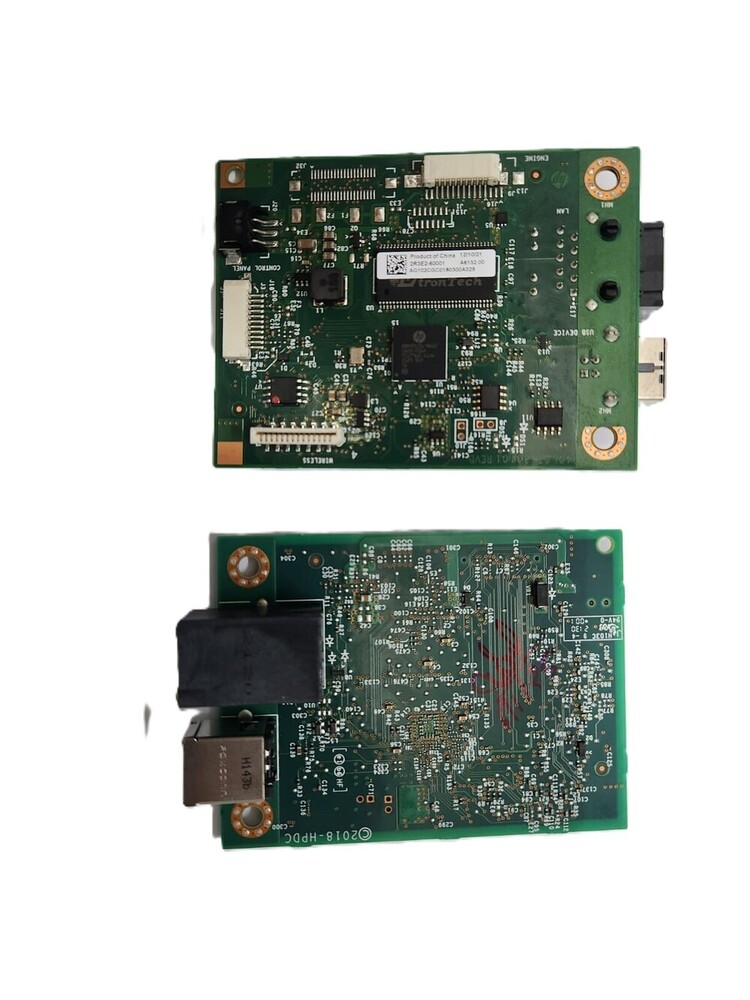
Formatter Board HP Laser Jet Tank 1020w Printer (2R3E2-60001)
For Use In (REFURBISHED)
Logic Card
Formatter Board HP Laser Jet Tank 1020w Printer (2R3E2-60001)
HP Laser Jet Tank 1020w Printer (2R3E2-60001)
HP 1020w
Logic Card /Formatter Card
Formatter Board / Formatter PCA Assy / Logic Board / Usb Board / Usb Card /Main Board / Main PCB Assembly / Mother Board/ Printer Card / Printer Board
: DOTMATRIX Printer Parts
: DMP PRINTER PARTS
: Printer Spare Parts
: Printer Parts
Superior Quality & CompatibilityManufactured from premium FR4 PCB materials and fully compliant with HP's OEM specifications, this formatter board provides unmatched compatibility and reliability. Whether you're a distributor, supplier, or end user, you'll benefit from its easy-to-install, factory-tested build that ensures seamless integration with the HP LaserJet Tank 1020w printer.
Plug-and-Play InstallationThe board is designed for hassle-free installation with its plug-and-play compatibility. Simply insert into the designated slot in your HP LaserJet Tank 1020w printer and restore functionality without specialized tools or expertise. Detailed instructions make the process straightforward, supporting swift maintenance and refurbishment.
Tested Performance and ReliabilityEvery board is rigorously tested before dispatch, ensuring consistent quality and dependable performance. It is supplied in an anti-static bag to prevent electrostatic discharge damage, and the lead-free solder finish guarantees an environmentally friendly and safe component for long-term use.
FAQ's of Printer Logic Card Formatter Board HP Laser Jet Tank 1020w Printer:
Q: How do I install the Formatter Board in my HP LaserJet Tank 1020w printer?
A: Installation is straightforward due to its plug-and-play design. Open your HP LaserJet Tank 1020w printer, locate the formatter board slot, align the new board with the connectors, and insert it securely. Always ensure power is off during installation.
Q: What are the benefits of using this OEM Formatter Board?
A: Being a 100% OEM replacement, this board ensures optimal compatibility, reliability, and printing performance. It is factory-tested, environmentally friendly, and restores your printer to peak functionality, making it ideal for maintenance and repairs.
Q: When should I replace the formatter board in my printer?
A: Consider replacing the formatter board if you experience persistent communication errors, the printer fails to start, or other hardware-level malfunctions occur. It's especially suitable for maintenance or machine refurbishment.
Q: Where is this formatter board compatible?
A: This formatter board is specifically designed for the HP LaserJet Tank 1020w printer and is compatible only with this model. Check your printer's model number to ensure a proper fit.
Q: What is the recommended method for storing the formatter board before use?
A: Store the board in its anti-static bag in a dry, static-free environment to avoid electrostatic damage and moisture. Proper storage preserves component quality until installation.
Q: How does this logic card ensure noise-free printer operation?
A: The formatter board operates silently and integrates tightly with the printer mainboard, ensuring there are no additional noise sources during printing, thus maintaining silent operation.



 Send Inquiry





 Send Inquiry
 Send Inquiry
 Send SMS


 English
 Spanish
 French
 German
 Italian
 Chinese (Simplified)
 Japanese
 Korean
 Arabic
 Portuguese